On this page
Test & Compare is missing from a video because the video or the channel fails one of YouTube's eligibility rules, not because the feature is broken. As of September 2026, YouTube's help page says the tool runs only from YouTube Studio on desktop, only on channels with advanced features, and only on public long-form videos and podcast episodes; it is not available for Shorts, scheduled live streams or Premieres before they convert, and it cannot be used on videos that are Made for Kids, for mature audiences, or private. Check those in the order below and you will usually find the reason in a minute. If the video cannot be tested at all, a manual swap gets you a usable answer, provided the two covers are far enough apart.
Every eligibility rule YouTube publishes
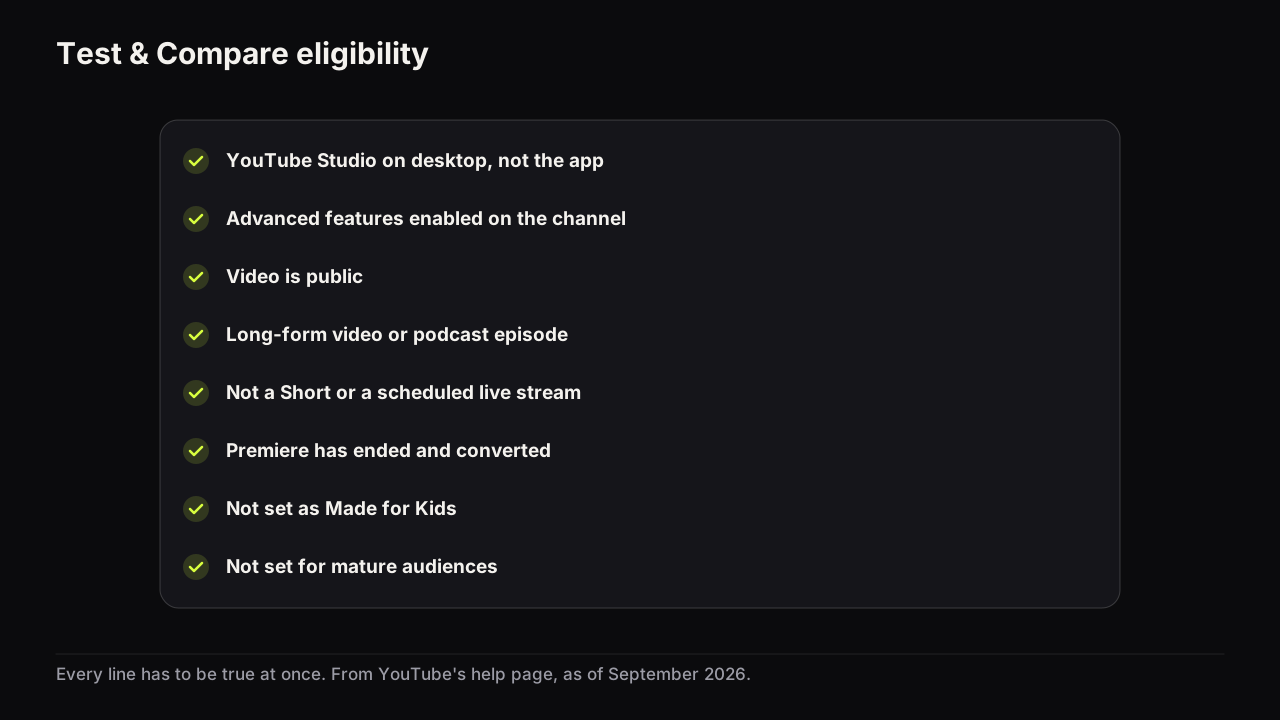
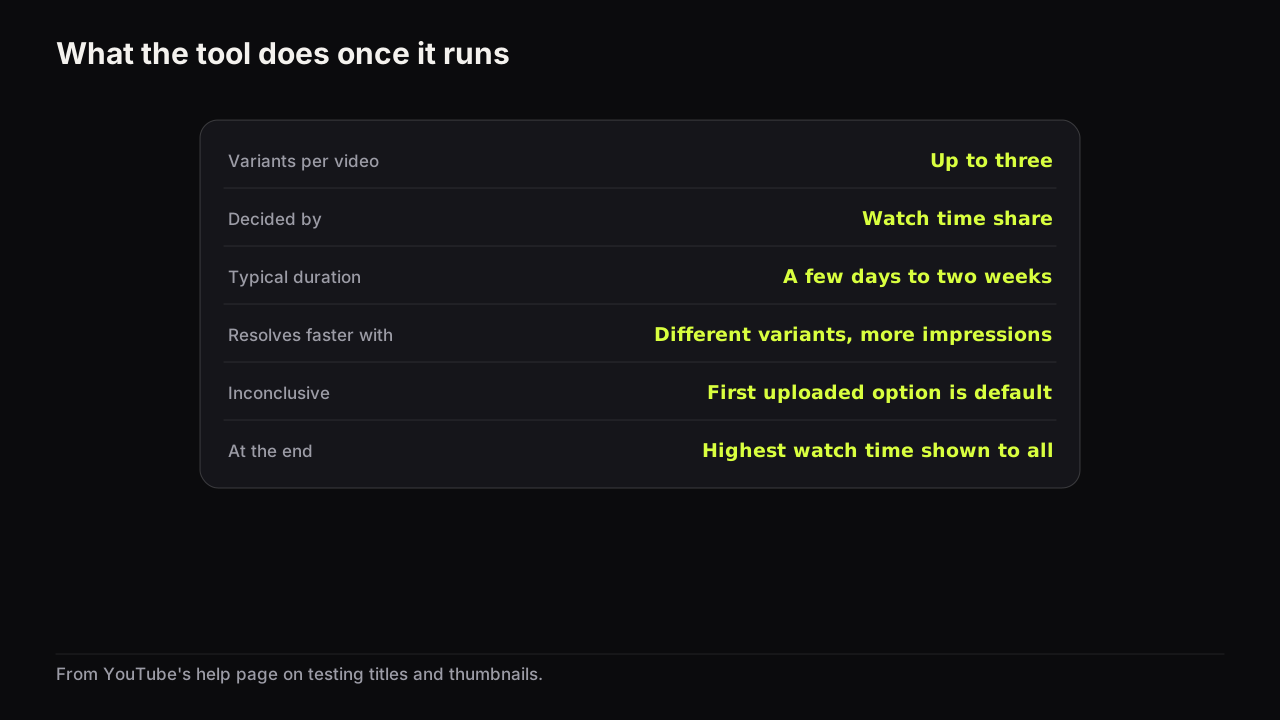
YouTube's help page on testing titles and thumbnails says the feature runs from YouTube Studio on desktop, requires advanced features, and works on public long-form videos and podcast episodes only. It is not for Shorts, scheduled live streams, or Premieres (a Premiere becomes eligible after it ends and converts to a long-form video), and it cannot be used on videos that are Made for Kids, for mature audiences, or private. You can test up to three titles, thumbnails, or title and thumbnail combinations per video, and the option with the highest watch time is shown to all viewers at the end.
As a checklist, every line has to be true at the same time. One false, no tool.
- You are in YouTube Studio in a desktop browser, not the mobile app.
- Advanced features are enabled on the channel.
- The video is public.
- The video is a long-form video or a podcast episode.
- It is not a Short.
- It is not a scheduled live stream.
- If it was a Premiere, the Premiere has ended and converted to a long-form video.
- It is not set as Made for Kids.
- It is not set for mature audiences.
Check in the order that finds the cause fastest
The rules split into three groups: where you are, what the channel has, and what state the video is in. The symptom tells you which group to look at first.
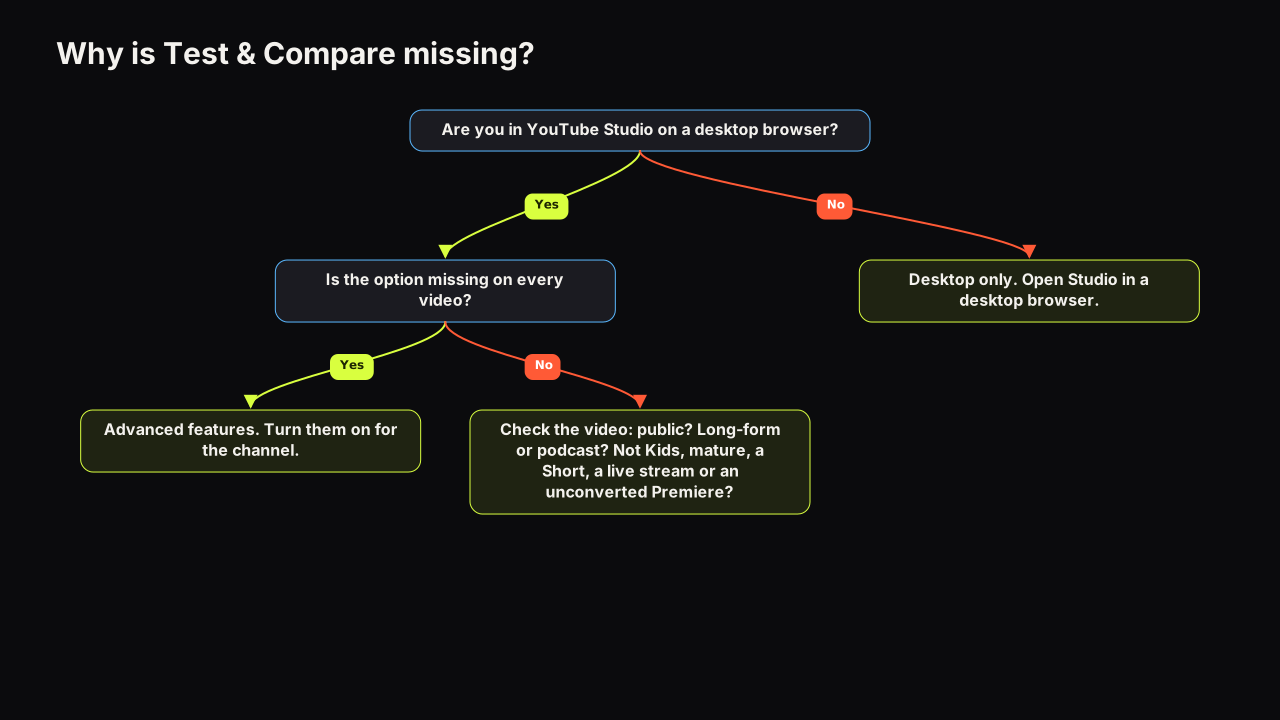
| What you see | Rule most likely failing | What to do |
|---|---|---|
| No test option on a phone or tablet | Desktop only | Open YouTube Studio in a desktop browser |
| No test option on any video, on desktop | Advanced features not enabled | Turn on advanced features for the channel |
| Missing on one video, present on others | The video is private, Made for Kids, for mature audiences, a Short, a live stream or a Premiere | Check each setting in the video's details |
| Missing on a Premiere that just went out | Not eligible until it converts | Wait for the Premiere to end and become a long-form video |
| Missing on a scheduled upload | The video is not public yet | Start the test after it publishes |
Where you are: desktop only
YouTube's page says desktop. In practice this is the most common reason a creator reports the option "gone": they last used it on a laptop and are now looking for it in the Studio app on a phone. Nothing changed on the channel. The device did.
What the channel has: advanced features
Advanced features is a channel-level setting in YouTube Studio. The path to it and the verification steps change from time to time, so follow YouTube's own help pages rather than a screenshot from a tutorial. Until it is on, no video on the channel will show the test option, however eligible the video itself is.
What state the video is in
Three settings on the video's details page can block the test on their own: visibility (private), audience (Made for Kids) and the mature-audience setting. Three formats can too: Shorts, scheduled live streams, and Premieres that have not yet ended. A video can pass every other rule and fail on one of these, which is why the option appears on some of your videos and not others.
The help page names private videos as ineligible and does not mention unlisted ones. We have not been able to confirm how unlisted videos are treated, so treat public as the safe assumption and test on a public video. If a Made for Kids setting is changed after upload, check the video again rather than assuming the option returns.
What the tool does once it appears
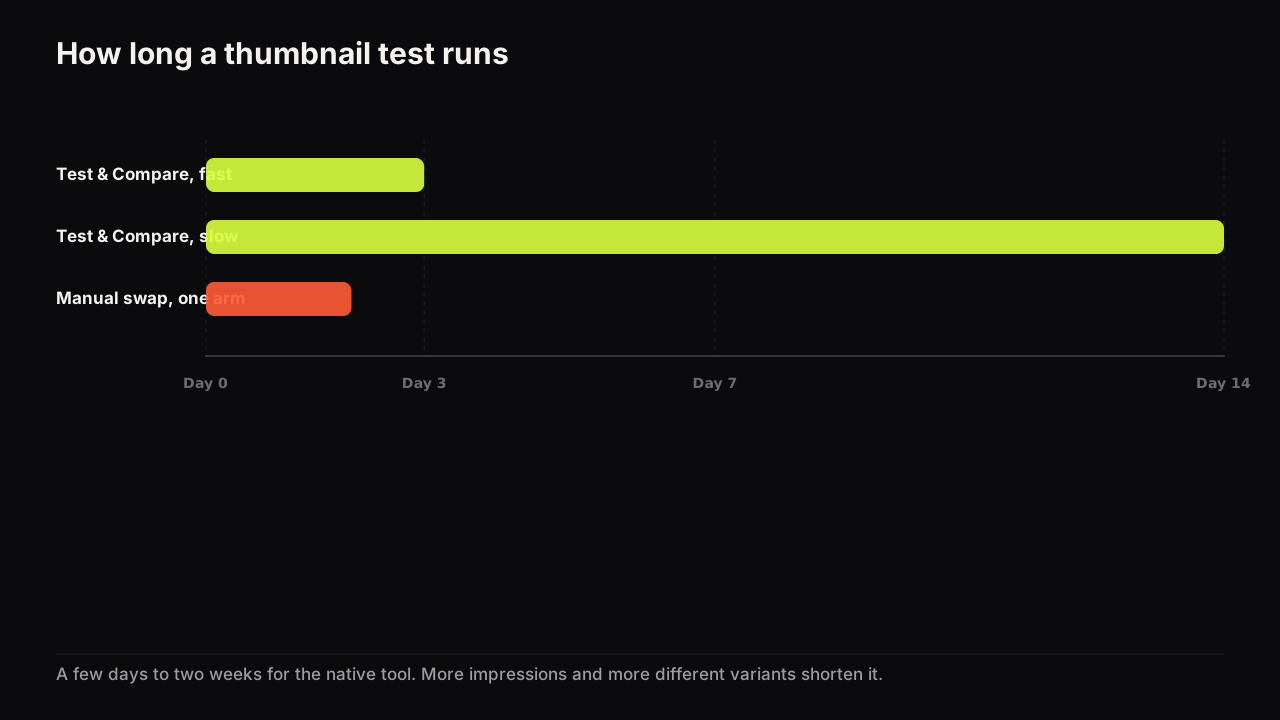
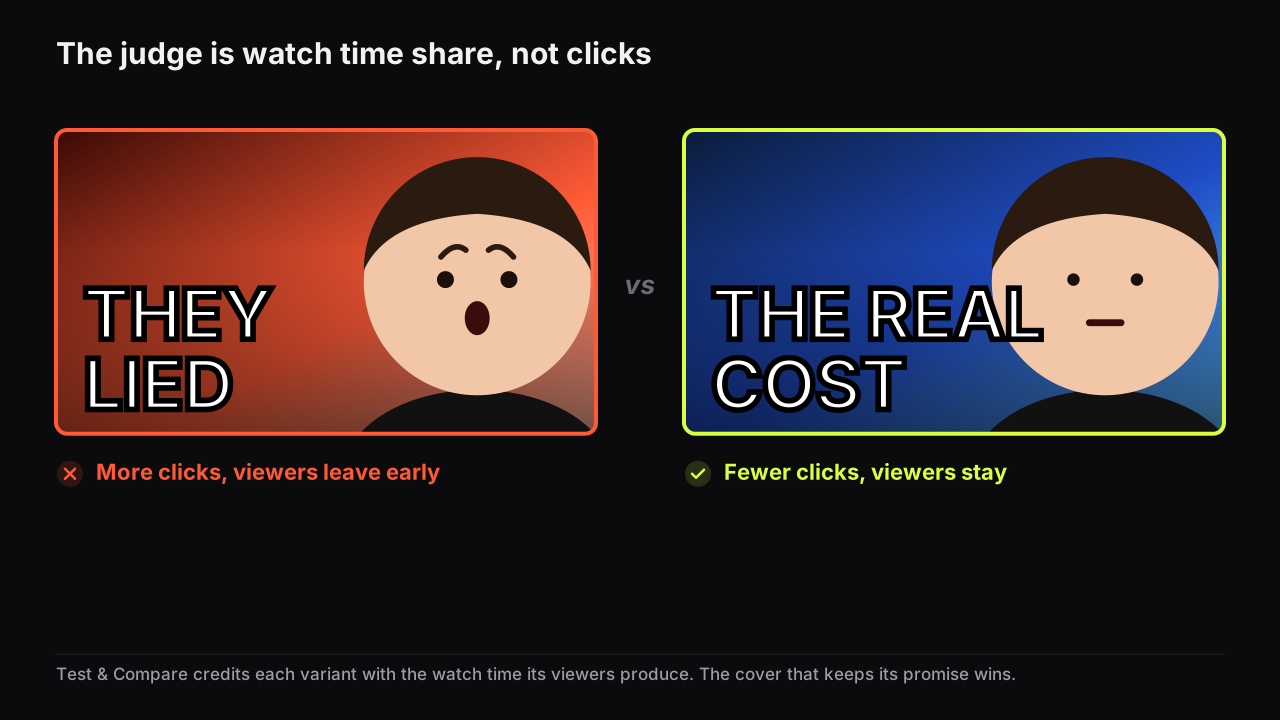
When the video qualifies, the feature takes up to three titles, thumbnails, or title and thumbnail combinations, shows them to different viewers, and decides by watch time share rather than by clicks. YouTube says a test can take a few days or up to two weeks, and that it resolves faster with more different variants and more impressions. If the result is Inconclusive, the first uploaded option becomes the default, so upload the cover you would be happiest shipping first. Why the tool can pick the thumbnail with fewer clicks explains the watch time share measure; how long a test needs, and what to do with an inconclusive one covers the waiting.
What to do when the video cannot be tested
A Short, a video on a channel without advanced features, a Made for Kids video: none of these can use the tool, and the fallback is a manual swap. You show cover A to everyone for a window, then cover B, and compare the windows. It is noisier than the tool because the two windows have different audiences, so the rules exist to reduce the noise.
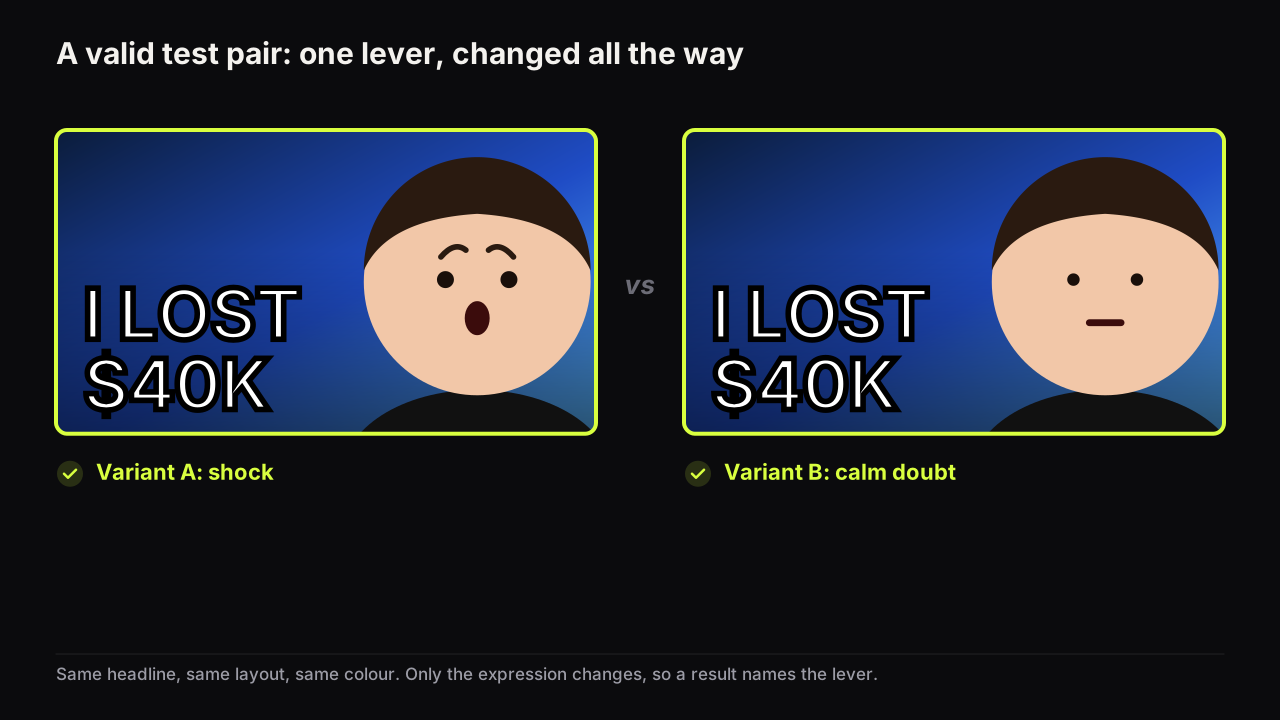
The second cover matters more here than in the tool, because noise swallows small differences. Say the channel makes drawing tutorials marked Made for Kids, so the tool is off. Cover A is the finished cartoon fox, orange on a plain white ground, "DRAW A FOX" in two red words. The tempting cover B is the same fox with a yellow star added and the words nudged left. That is a twin, and a manual swap will never separate twins. A cover B worth swapping in shows the half-finished fox with the pencil still on the page and "TWO SHAPES" in the same red, so the viewer infers a method rather than a result. If B leads by a fifth on the same traffic source across both pairs of windows, you have learned that this audience clicks the method. If the two are level, you have learned that this lever does not matter here, and the next swap tries a different one.
Give each cover 24 to 48 hours, alternate at least twice (A, B, A, B) on weekdays, leave the title alone, compare impressions click-through rate from the same traffic source rather than the blended figure, and call a result only when the gap is large, at least a fifth in relative terms. Read average view duration for both windows as your stand-in for what the tool measures. These are our rules, not YouTube's; the platform publishes no guidance for manual swaps.
We would not swap on a video less than a week old at all, even though that is when the urge to fix a cover is strongest, because the audience mix shifts hour by hour in the first days and the two windows end up comparing two audiences rather than two covers. The full method, including the recording sheet and the rest of the case against swapping on a fresh upload, is in the guide to A/B testing thumbnails with Test & Compare and by hand. Two special cases deserve their own reading: a Short's cover is shown in different places from a long-form cover, so how Shorts thumbnails work and where they appear comes before any swap, and swapping the cover on an old video that still earns views is a decision in itself, worked through in whether to change the thumbnail on a live video.
Whichever method you end up with, the second cover should differ from the first in one thing, changed all the way. On the bench, Tweak takes a finished render as the source and changes only what you name, so the expression, the headline or the dominant colour moves and the rest stays.
What to do next
Open the video in YouTube Studio on a desktop browser and run down the checklist. If the option is missing on every video, sort out advanced features first; nothing else matters until that is on. If it is missing on one video, open its details and look at visibility, audience and the mature setting, then the format. If the video passes every rule and the option is still absent, wait a day and look again; if it is a Short or a Kids video, plan an alternating manual swap and make the two covers as different as one lever allows.