On this page
- One cover, three moments
- The pre-event cover is a promise about a video that does not exist yet
- What the testing rules say about lives and Premieres
- Do not paint LIVE, PREMIERE or the date into the image
- Refresh the cover after the stream ends
- Premieres: the countdown is the cover's first job
- Spec, and where the cover is set
- Common questions
- What to do next
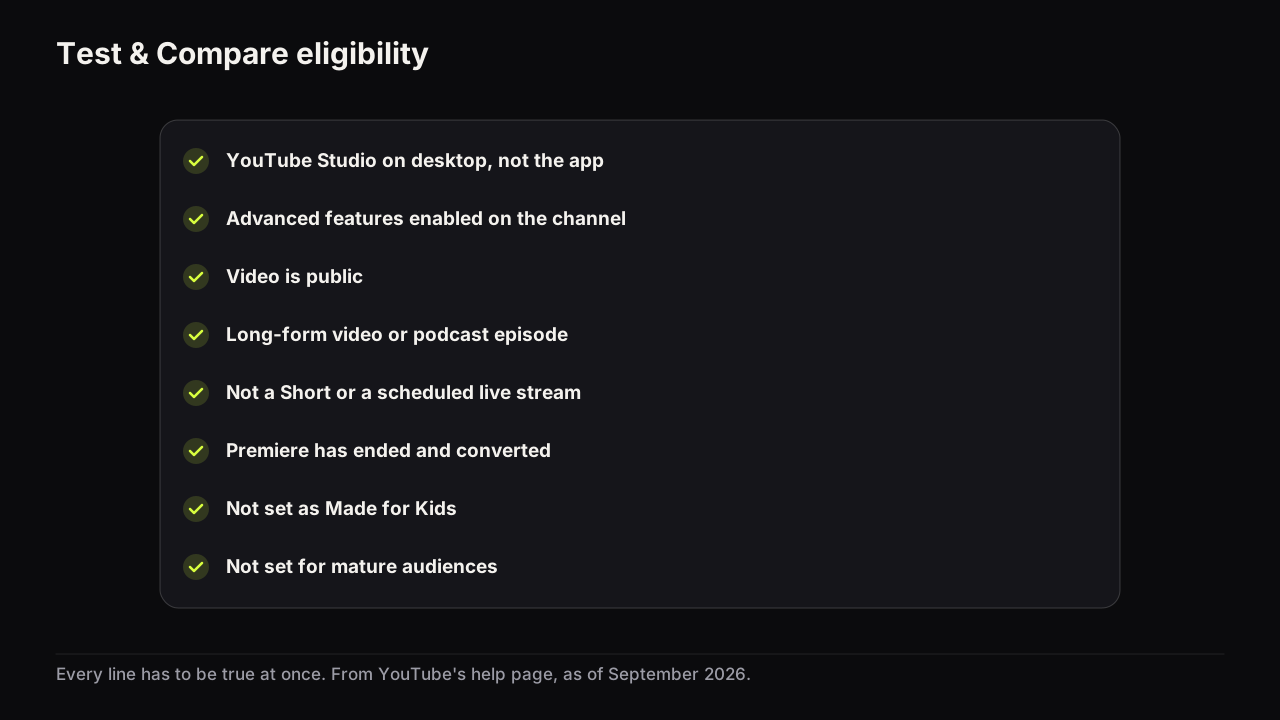
A live stream or Premiere thumbnail does three jobs with one file: it announces the event while it is upcoming, it sits in the row while the event is happening, and it becomes the replay's cover for as long as the video exists. The replay is the job that lasts, so design the cover for the replay and let YouTube's interface do the announcing. Two rules follow. Do not paint LIVE, PREMIERE or a date into the image, because the interface adds its own labels and yours becomes false the moment the event ends. And do not plan a test around the event: YouTube's help page says Test & Compare is not available for scheduled live streams or Premieres, and a Premiere only becomes eligible after it ends and converts to a long-form video.
One cover, three moments
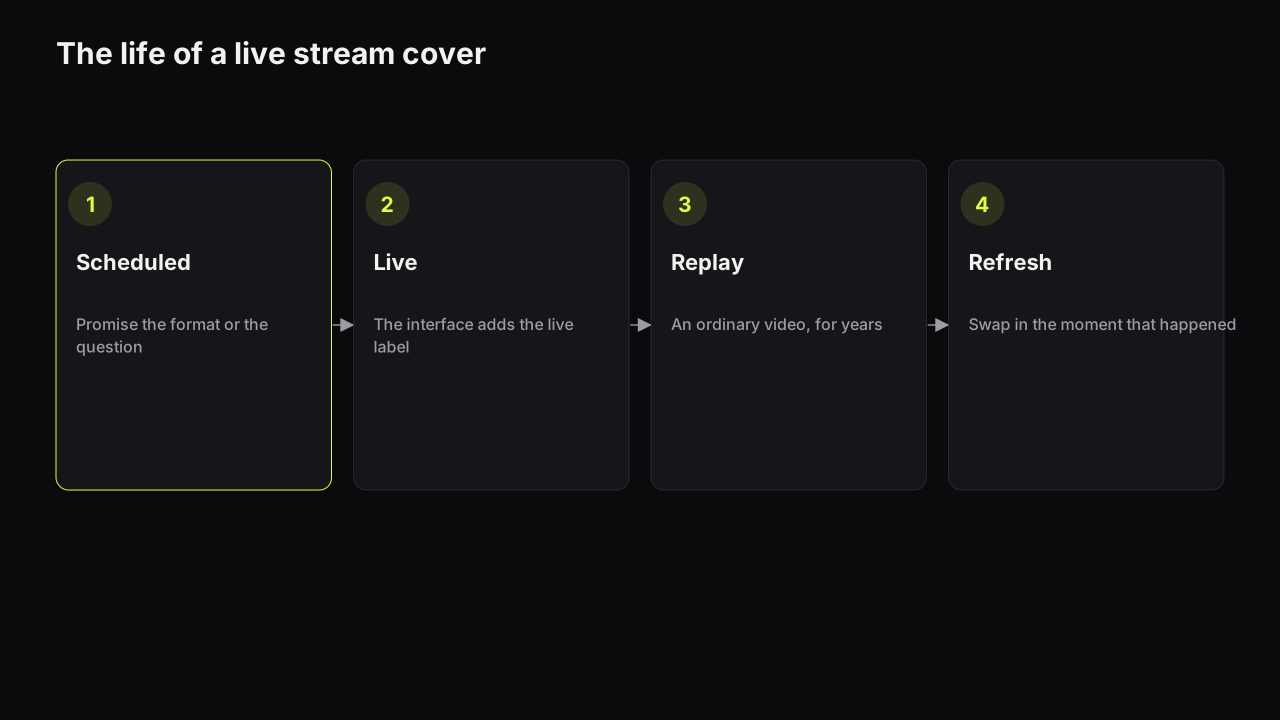
The same image is shown to three different viewers in three different states of mind, and it cannot be redesigned between them without a manual change.
| Moment | Who sees it | What the cover has to do | What the interface adds |
|---|---|---|---|
| Scheduled | Subscribers, channel page visitors, anyone who opens the waiting page | Make a promise worth setting a reminder for | A date, and a reminder control |
| Live | Home and Suggested, the channel page, notifications | Read as an event happening now, distinct from the videos around it | A live indicator and a viewer count |
| Replay | Everyone, for years, mostly through Search and Suggested | Work as an ordinary cover for the video that now exists | The duration badge and streamed metadata |
The right-hand column describes what we see in YouTube's apps as of September 2026. YouTube does not document what it overlays on a live or scheduled stream's thumbnail, where, or at what size, so we give no positions or pixel figures, and the exact wording of the labels changes between surfaces and app versions.
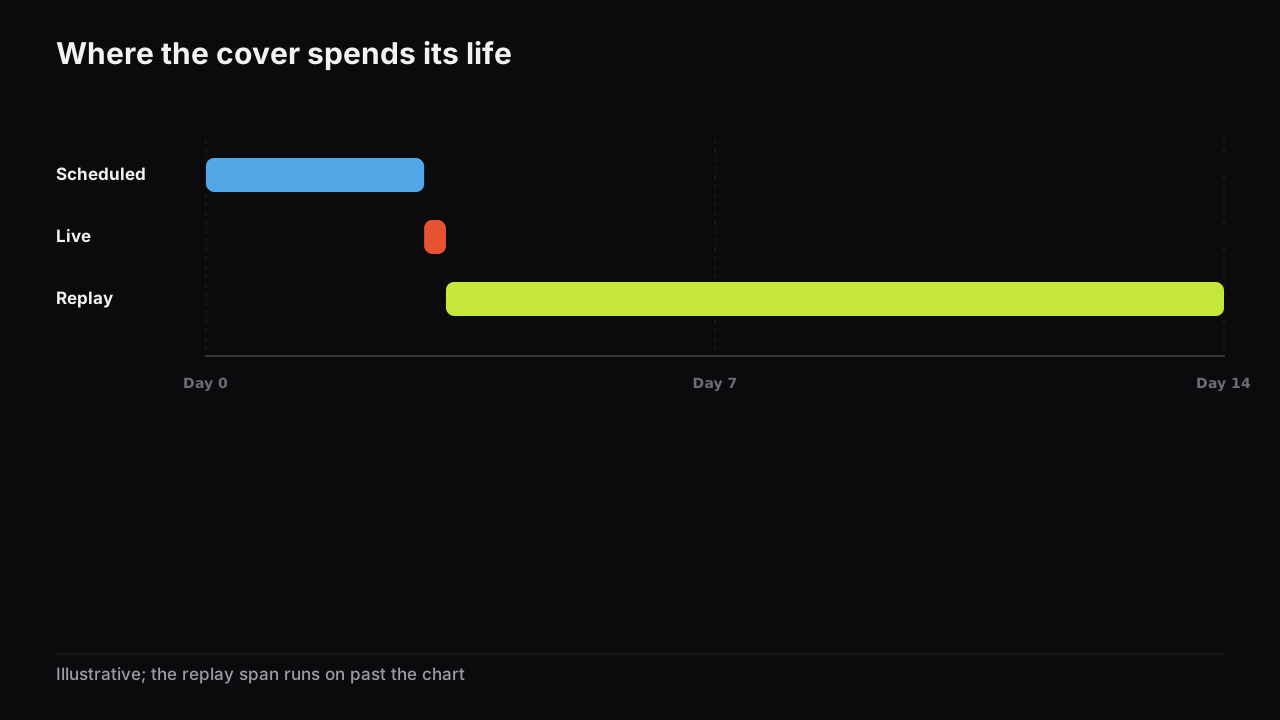
The people who arrive during the first two moments were mostly told to come: a notification, a community post, a schedule they already follow. The cover confirms rather than persuades. We would schedule every stream with the replay's layout and accept a weaker announcement, even though the scheduled-phase viewers are the warmest audience the video will ever have. They were coming anyway. The strangers who find the replay in six months were not. The replay has no such help. It competes as an ordinary video in Search and Suggested against covers that were built for exactly that, which means the face-size floor, the three-word headline, the brightness contrast and the honest promise from the guide to how covers earn the click apply in full, and apply for years.
The pre-event cover is a promise about a video that does not exist yet
This is the one design problem lives and Premieres have that uploads do not. When you make the cover, the stream has not happened. You cannot show the reaction, the result or the number, because there is no reaction, result or number yet.
We recommend promising one of two things a scheduled cover can honestly promise: the format (the guest, the show, the topic, the thing being built or played) or the question the stream sets out to answer. Never the outcome you hope for. "WE HIT 100K" on a stream where the counter might not get there, or "SHE SAID YES" before anyone has asked, is packaging that promises content the video may not contain, which is the line YouTube's deceptive practices policy draws, and it is also a cover you will have to replace in front of an audience that saw the first one. A question ("WILL IT RUN?") is true whatever happens.
The title carries the same constraint, and the two should split the job the way any title and thumbnail split one promise: the title says what the stream is, the cover says why it is worth being there.
What the testing rules say about lives and Premieres
YouTube's help page on testing titles and thumbnails says Test & Compare works on public long-form videos and podcast episodes only, and is not available for Shorts, scheduled live streams or Premieres. A Premiere becomes eligible after it ends and converts to a long-form video.
In practice this removes one option creators reach for: "upload two covers and let the test decide" is not available for the announcement or the live phase. For a Premiere the workaround is clean, and it is the one advantage the format has over a live stream: the video already exists, so you can make the strongest cover for the Premiere itself, keep the runner-up, and start a test after conversion. The full list of eligibility rules covers what else can block the option once the video has converted.
The help page names scheduled live streams as ineligible. It does not say whether a finished stream's replay, which is a public long-form video in Studio, qualifies once the stream has ended. We have not confirmed this either way, so check the video's details in Studio the day after and treat a manual swap as the fallback.
Do not paint LIVE, PREMIERE or the date into the image
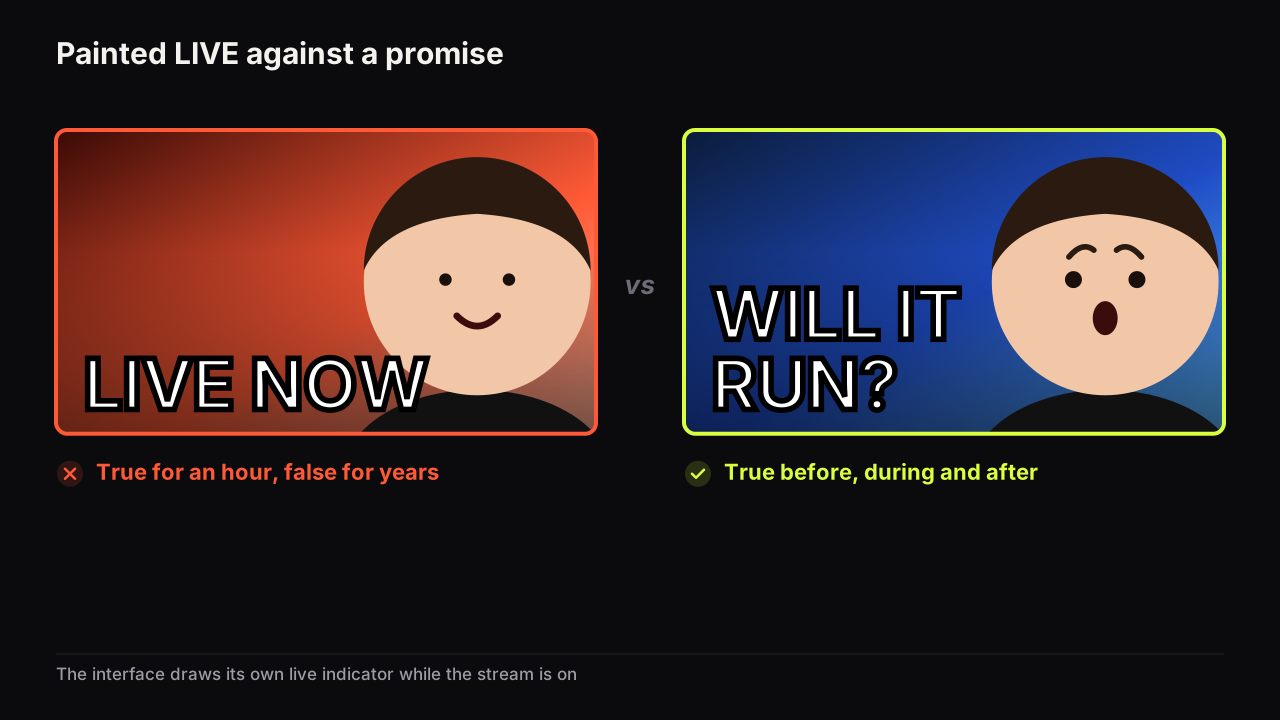
A painted LIVE costs three things. While the stream is on, it duplicates the indicator the interface already draws, so it buys nothing. After the stream ends, it is false on every impression the replay earns, which for most streams is the majority of the cover's life. And it spends one of the three words the headline can carry at feed size on a word that says nothing about the video. The same goes for PREMIERE, for a date and for a start time: all true briefly, all false afterwards, all supplied by the interface while they matter.
Say the stream is a PC build to a viewer's budget. The first cover is the creator's face large, a red LIVE banner across the top, BUILDING LIVE 8PM in white, and a manufacturer's render of a graphics card. Scheduled, it works for a day. As a replay it names a time that has passed, a word that is false, and a card that may not be the one that went in. The replay-proof version is the empty case open on the bench, one part in hand, doubt on the face, £600 BUILD as the words, with the title carrying the word live. The morning after, the same layout takes the finished machine and the moment: IT POSTED, or IT DIDN'T.
The replays that carry a stale LIVE NOW or a date from months ago are easy to spot on any channel page that streams regularly, and they read as abandoned. The exception that holds up is a recurring show's own marker, EPISODE 12 or the show's name, because it stays true after the event and it tells the channel's regulars which one this is.
If you want the live moment itself to feel like an event in the row, do it with the elements that stay true: the guest's face, the object being built or unboxed, a colour the channel uses only for streams. The headline rules for a cover do not change because the video is live.
Refresh the cover after the stream ends
The day after is when the best cover becomes possible, because now the stream contains a moment. This is the sequence we use.
- Find the moment. Scrub the replay for the reaction, the reveal or the number that a stranger would click for. It is rarely the thing you planned; it is the thing that happened.
- Get a still of it. Pull the frame, or shoot a still that recreates it in the same light, the way any thumbnail is made from a video frame. A stream frame is often soft, so expect to crop hard and lift the contrast.
- Rewrite the headline to the moment. The question the scheduled cover asked can now be answered or sharpened. Keep the title honest to the stream that exists, not the one you announced.
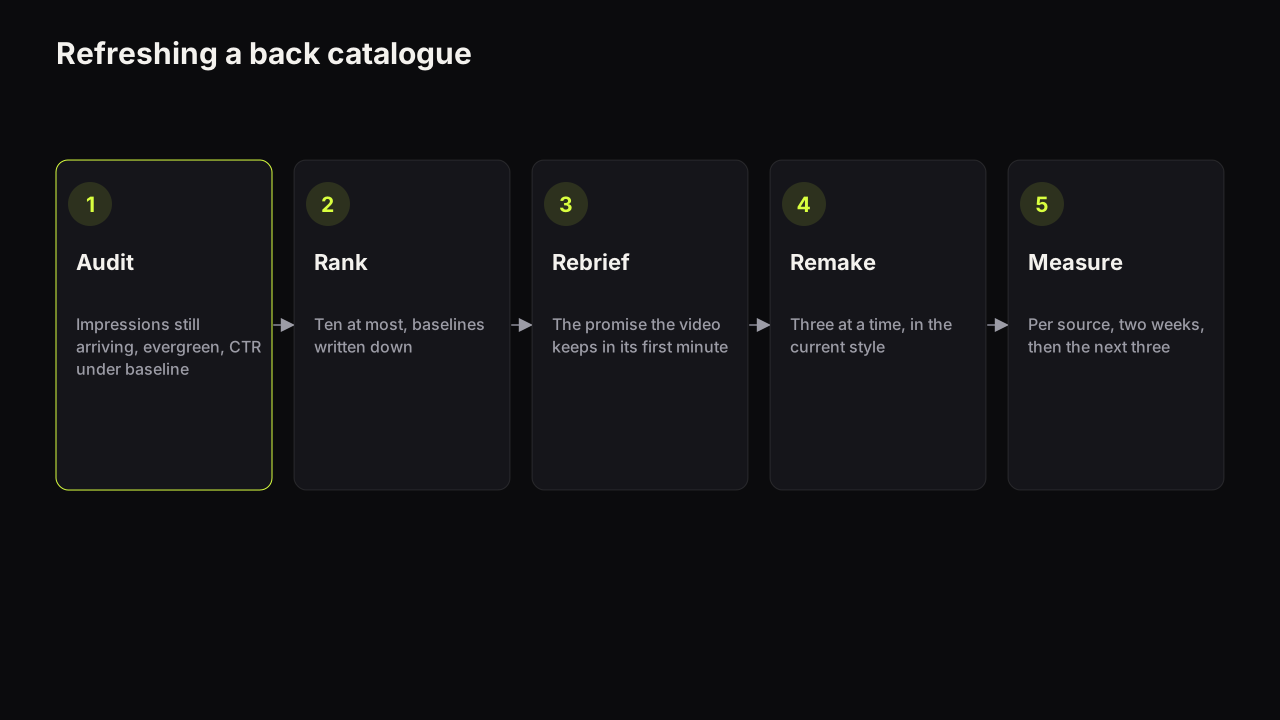
- Swap it on the video's details in Studio. The replay is a video like any other. Whether a swap on an older stream is worth the effort is the same decision as for any live video, and a back catalogue of streams that all still carry their announcement covers is a good candidate for the batch method for refreshing old thumbnails.
- Check the channel page. A run of stream replays with near-identical covers turns into one block on the channel page; the replay cover should be distinguishable from last week's at a glance.
Make the announcement cover and the replay cover as a pair from the start: the same layout, the same face and palette, a different headline. On the bench, Tweak takes the first render as the source for the second, so the replay version changes only the words and keeps everything else, and the two covers look like the same show rather than two different videos.
Premieres: the countdown is the cover's first job
A Premiere is an upload that is shown as an event, which changes two things about its cover. First, the video is finished before the cover is made, so there is no "video that does not exist yet" problem: the cover can be built from the actual footage, with the actual moment, like any upload. Second, the cover is the whole screen during the countdown, at a size no feed ever shows it, and then it is an ordinary cover for the rest of its life. Design for the second; a cover that only works at full screen fails everywhere that matters.
Once the Premiere has converted, it is a long-form video and Test & Compare applies as normal, which makes a Premiere the one event format where a test can be planned in advance: strongest cover for the Premiere, runner-up ready for the test the next day.
Spec, and where the cover is set
The file is the same as for any video: as of September 2026 YouTube's help page on adding custom thumbnails recommends 3840 x 2160 at 16:9, JPG or PNG, with a 2 MB limit from mobile and 50 MB from desktop, and the full spec with an export recipe covers the rest. As far as we can tell, the cover is set when the stream or Premiere is scheduled and can be changed afterwards from the video's details in Studio; the exact controls move between versions of Studio, so follow YouTube's own pages for the path rather than a screenshot.
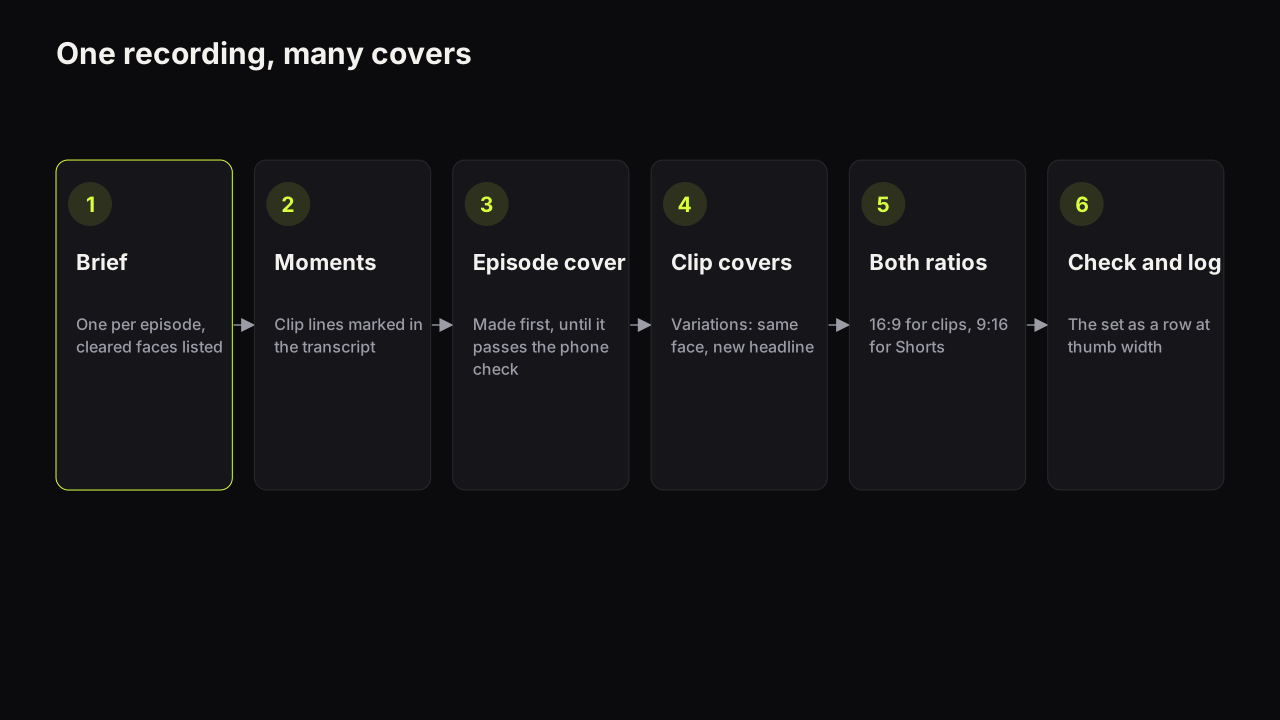
Podcasts that record live get both problems at once: a guest whose face is the promise and a replay that is the real product. Guest faces and batch covers for podcasts covers the consent and the layout; everything above covers the timing.
- The cover works as an ordinary video cover in Search and Suggested, at feed size, on a phone
- No LIVE, PREMIERE, date or start time painted into the image
- The promise is the format, the guest or the question, not an outcome that has not happened
- The face and the words sit clear of the bottom-right corner, where the duration badge lands on the replay
- The replay swap is in the calendar for the day after
- For a Premiere, the runner-up cover is saved for a test after conversion
Common questions
Can you A/B test a live stream thumbnail?
Not while it is scheduled. YouTube's help page says Test & Compare is not available for scheduled live streams or Premieres, and that a Premiere becomes eligible after it ends and converts to a long-form video. Design one cover for the event and plan any test for the replay.
Should the thumbnail say LIVE on it?
We recommend not. The interface adds its own live indicator while the stream is on, so a painted LIVE is redundant for the hour it is true and false for every impression the replay earns afterwards. Spend the word on the promise instead.
Can you change a live stream's thumbnail after it ends?
Yes. In our experience the replay is edited like any other video from its details page in Studio, and the change touches nothing but the cover. Views, comments and the URL stay. Swapping in a cover built around the moment that actually happened is the most useful thing to do with a stream the day after.
What to do next
For the next stream, write the question the cover will ask before you schedule it, make the cover with no LIVE and no date, and put the replay swap in your calendar for the following morning. Then open your channel page and count the replays still wearing their announcement covers; those are the first candidates for a refresh. If you stream a podcast, the guest-face rules come next.