On this page
A podcast on YouTube needs three kinds of cover, and they do different jobs: show art that identifies the programme, an episode cover that sells one conversation, and clip covers that sell one moment each. The workflow that keeps a weekly show sane is one packaging brief per episode, from which every episode and clip cover is produced in a batch, in both 16:9 and 9:16, with the same faces, the same headline discipline, and consent settled before anyone's face is rendered. The guest question comes first because it changes what you are allowed to make.
Three covers, three jobs
Podcast thumbnails so often fail because one cover is asked to do all three jobs. Show art is a logo, an episode cover is a promise, a clip cover is a hook, and a cover that tries to be all three is a caption with two small faces on it.
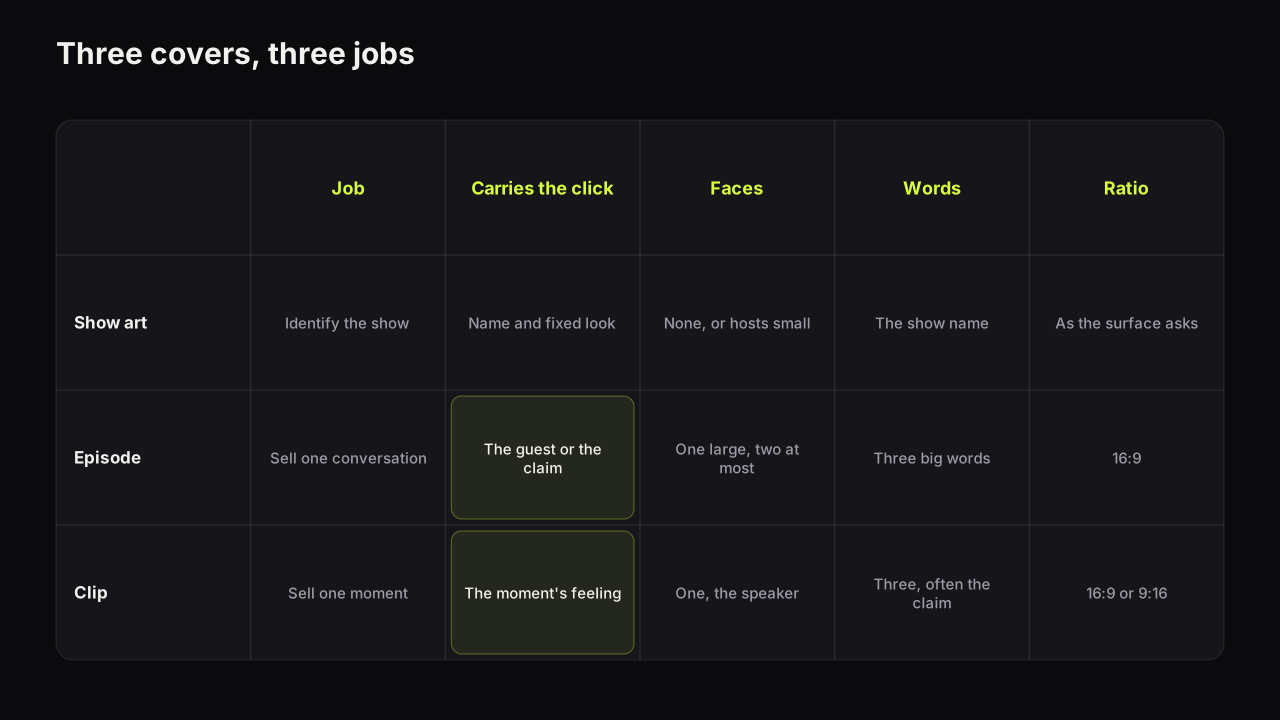
| Cover | Job | What carries the click | Faces | Words | Ratio |
|---|---|---|---|---|---|
| Show art | Identify the programme in a list | The name and a fixed look | None, or the hosts small | The show name | Whatever the surface asks for |
| Episode cover | Sell one conversation | The guest or the claim | One large, two at most | Three big words | 16:9 |
| Clip cover | Sell one moment | The moment's emotion or quote | One, the person speaking | Three words, often the claim | 16:9 for clips, 9:16 for Shorts |
Show art is recognition. It changes rarely, it carries the show's name and colours, and its job is to be found in a list, not to earn a click on a Home feed. This week's guest does not belong on it.
The episode cover is packaging in the ordinary sense: a title that says what the conversation is and a cover that says why it matters, split the way title and thumbnail split one promise. On a podcast the "why it matters" is usually the guest (if this audience knows them) or the claim (if it does not).
The clip cover is the hook for a single moment. It has one face, the person saying the thing, one feeling, and the three words that make the moment a question. A clip cover that names the episode ("EP 47: MARKETING") has packaged the wrong thing.
The guest's face: consent, then recognisability
Two questions decide whether the guest goes on the cover, and they should be answered in this order: are you allowed, and does it help.
Allowed comes first. A guest agreed to be recorded; that is not automatically the same as agreeing to have their face cut out, re-lit, given a new expression and put on a Short they have never seen. Get consent for thumbnails in writing when you book the guest, and be specific: their real frame from the recording, a rendered likeness, or both. Where the answer is no, the guest's face is not an option, whatever the second question says. The thumbnail mistakes that can get a cover removed sets out the policy side; the plainer side is that a face is a person, not an asset. The same rule governs any tool that renders faces. On the bench, Face Lab is for the faces of people who agreed to be on your thumbnails, which for a podcast means the hosts and any guest who said yes, and the acceptable use policy says so.
Then helps. A face pulls the eye, but a face the audience does not know pulls it less than a face they do, and on most podcasts the guest is a stranger to most viewers.
Across the podcast channels we look at, the guest's face carries the episode cover only when the audience already knows the guest. For everyone else the claim carries it: the three words that make the conversation a question, with the host's face (one the audience does know) reacting to it. Two small unfamiliar faces side by side is the most common podcast cover and, in our experience, the weakest, because neither face is big enough to read and neither is a reason to click.
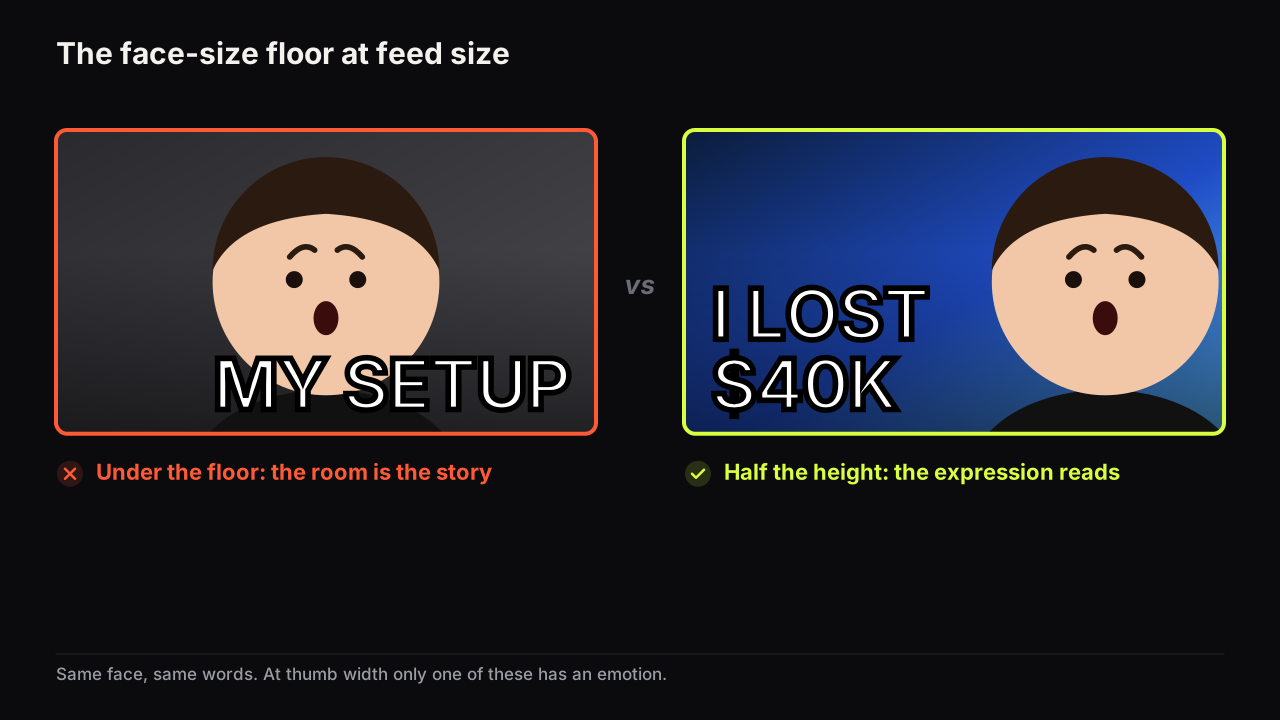
We recommend deciding the face per episode with one rule: the recognisable person is the face, the other person is small or absent. A well-known guest goes large with the host small or gone; an unknown guest gets the host's reaction large and the claim as the headline, with the guest, if consented, small on the far side. Never two equal faces. The size floor that makes an expression readable, about a third of the cover's height, and half is better, applies per face, and two faces at half height do not fit.
The batch workflow: one recording, many covers
For thumbnail purposes the useful thing about a podcast is that one recording produces several videos with the same people, the same room and the same light, so the covers can be made in a batch from one brief.
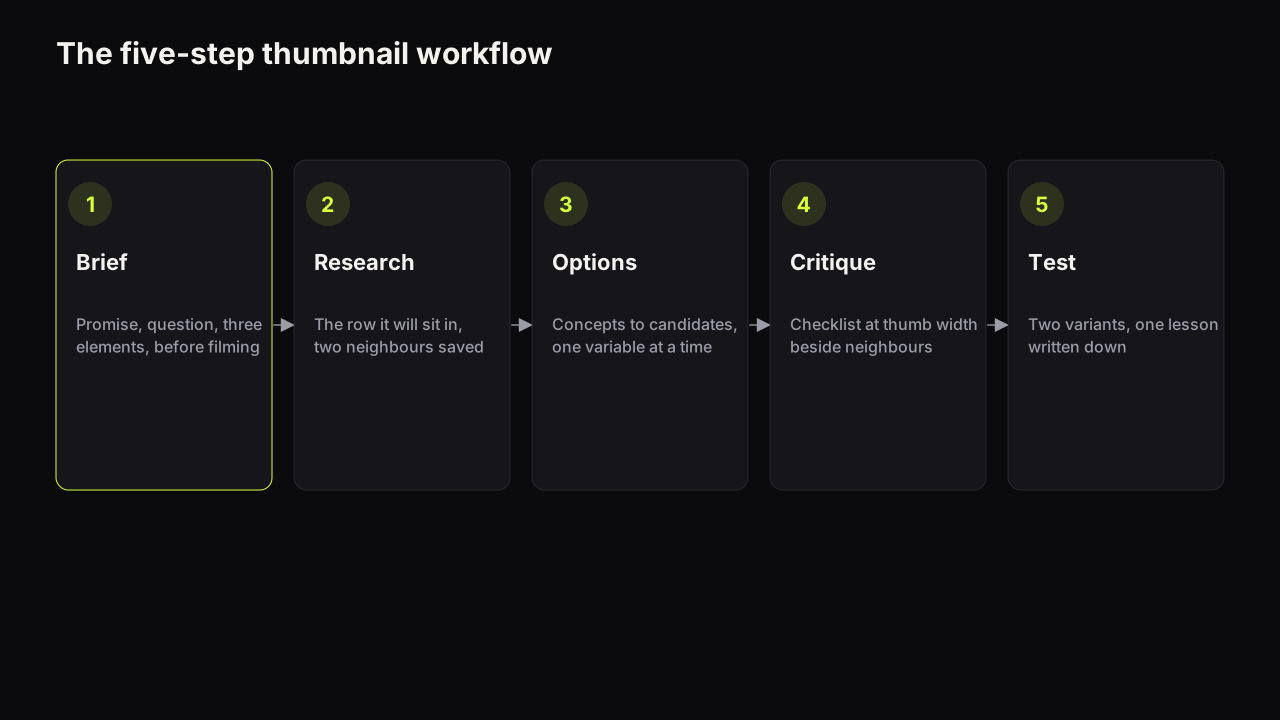
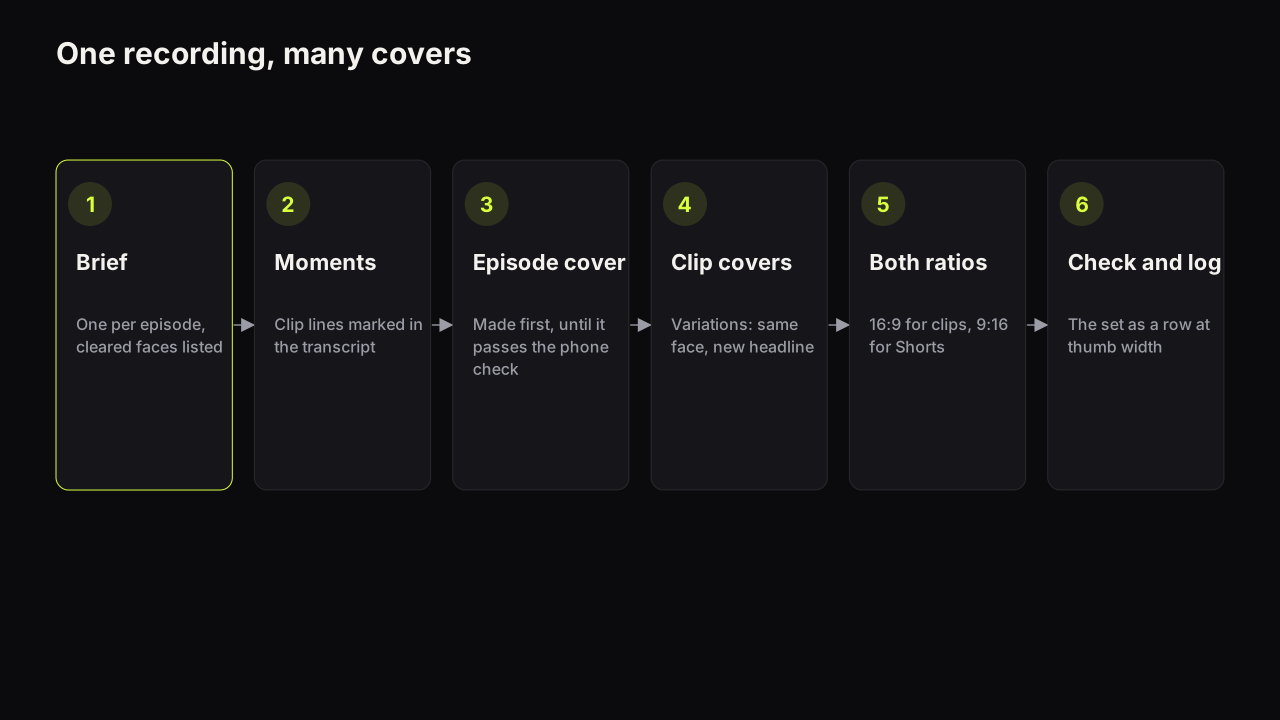
- Write one brief per episode. Promise, the question the episode cover opens, the title, the cover words, whose face and which feeling, the object if there is one, and the colour. Add a line the ordinary brief lacks: which faces are cleared for use. This is step one of the five-step thumbnail workflow with one extra field.
- Pick the clip moments from the transcript, not the video. Read the transcript and mark the lines that would stop someone scrolling: a claim, a contradiction, a number, a confession. Each marked line is a clip, and its cover words are already written; the line itself becomes the headline, cut to three words.
- Pull or make one strong face per person. A recording gives you an hour of faces at one angle in one light. Pull two or three frames per cleared person with a clear, nameable expression (surprise, doubt, laughter) and keep them for the batch; they become the faces of every cover from this episode. If you render faces instead of pulling frames, one selfie per cleared person does the same job.
- Make the episode cover first, then the clip covers from it. Get the episode cover to pass the phone check before anything else. Then produce each clip cover as a variation: same room, same face, different expression and headline. Changing one thing per clip keeps the set recognisably one episode. On the bench this is Tweak: the episode cover becomes the source and only the headline and expression change.
- Render both ratios from the same brief. Every clip that becomes a Short needs a 9:16 cover as well as the 16:9 one. Compose it rather than cropping it: the face moves up, the words sit in the middle band, and the object drops or goes small. The maker composes 9:16 from the same prompt as a separate picture rather than cropping the wide one.
- Phone check the set as a row, then log it. Put the episode cover and the clip covers side by side at thumb width. Every word readable, one feeling per cover, and no two covers that could be mistaken for each other. Note which moments became clips and which headline pattern you used, so next week starts from a pattern rather than from nothing.
Face size and layout when there are two people
The two-face cover is the podcast's signature and its main design problem. At feed size a face has to fill about a third of the height to carry an expression; two faces at that size leave no room for words, and two faces at half that size carry no expression at all.
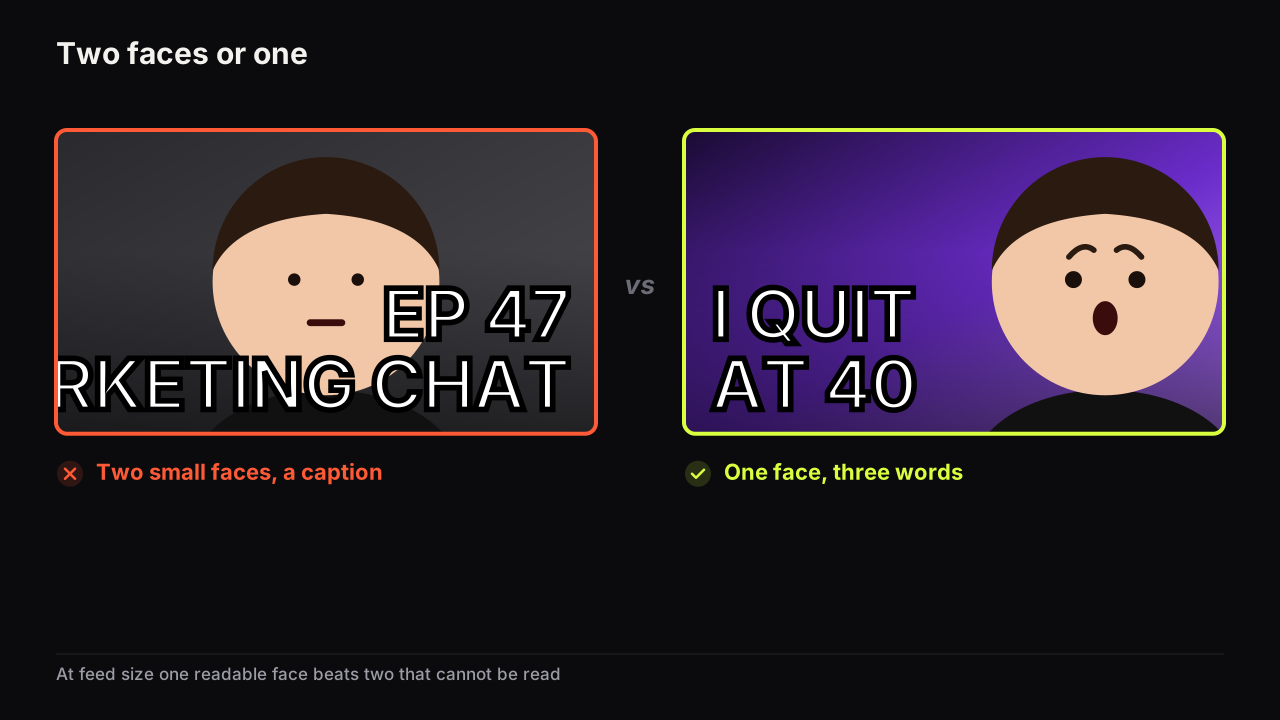
The layouts that work in practice split the difference rather than the frame.
- One large, one small. The recognisable or reacting face fills half the height on one side; the other person sits small in the opposite lower corner, more as a cue than a subject.
- One face, one name. The host reacts; the guest is represented by their name or their claim in the headline rather than by their face. This is the layout for an unknown guest, and the one that needs no guest consent for a face.
- Split screen with a reason. Two faces are fine when the two are the point: a debate, a versus, a disagreement. Even then the faces sit on the split, each at a third of the height at least, and the words sit across the middle.
Imagine a clip from an episode with a nutritionist, the line being "breakfast is the meal I would skip first". The two-face version: host and guest side by side at a quarter of the height each, both mid-sentence, EP 47 NUTRITION in white on the show's purple. The viewer infers a podcast episode about food and nothing else; the line is gone. The one-face version: the host on the right at half the height, eyebrows up, mouth open, SKIP BREAKFAST? in yellow on the same purple, the guest absent or small in the lower left if they consented. The viewer infers a claim they want to argue with and someone reacting to it, which is the clip.
We would keep the host's face large on every clip cover, including the clips where the guest says the line, even though that makes the show's clips look alike in the feed and gives the guest less of the frame, because the host is the one face the audience can recognise at thumb width and a weekly show trades on being recognised.
The expression matters more here than on most covers, because a podcast cover usually has no object to explain the face. Doubt, surprise and laughter read at feed size; polite listening does not. The expressions that carry a promise is the reference, and the headline rule is unchanged: three big words, usually the claim, never the episode number.
16:9 for episodes, 9:16 for Shorts, and the file limits
An episode and its long clips are ordinary videos with 16:9 covers. Clips cut for Shorts need a 9:16 cover added separately, with its own rules.
YouTube's help page on custom thumbnails says the file size limit depends on the device you upload from: from mobile it is 2 MB for video thumbnails and 10 MB for podcasts, and from desktop it is 50 MB for video, Shorts and podcast thumbnails. Custom thumbnails need a verified account.
We do not give a podcast-specific pixel size because the help page gives none; the ordinary video recommendation applies to episode and clip covers, and the Shorts spec applies to Shorts. How to add a Shorts thumbnail, its spec, and why Shorts cannot be tested is the companion piece for the 9:16 half of the batch. If you upload from a phone, export under the mobile limit; from a desktop the cap is generous enough that a 2K render clears it.
If the show has no on-camera faces at all (audio-only, or hosts who prefer not to appear), the batch still works; the substitutes for a face, and what they cost you, are in the guide to faceless thumbnails.
Podcast episodes can be tested
Unlike Shorts, podcast episodes qualify for YouTube's native thumbnail test, which makes them the best place on a podcast channel to learn what the audience answers to.
YouTube's help page on testing titles and thumbnails says Test & Compare runs from YouTube Studio on desktop, needs advanced features, and is available for public long-form videos and podcast episodes; it is not available for Shorts, and the result is decided by watch time share.
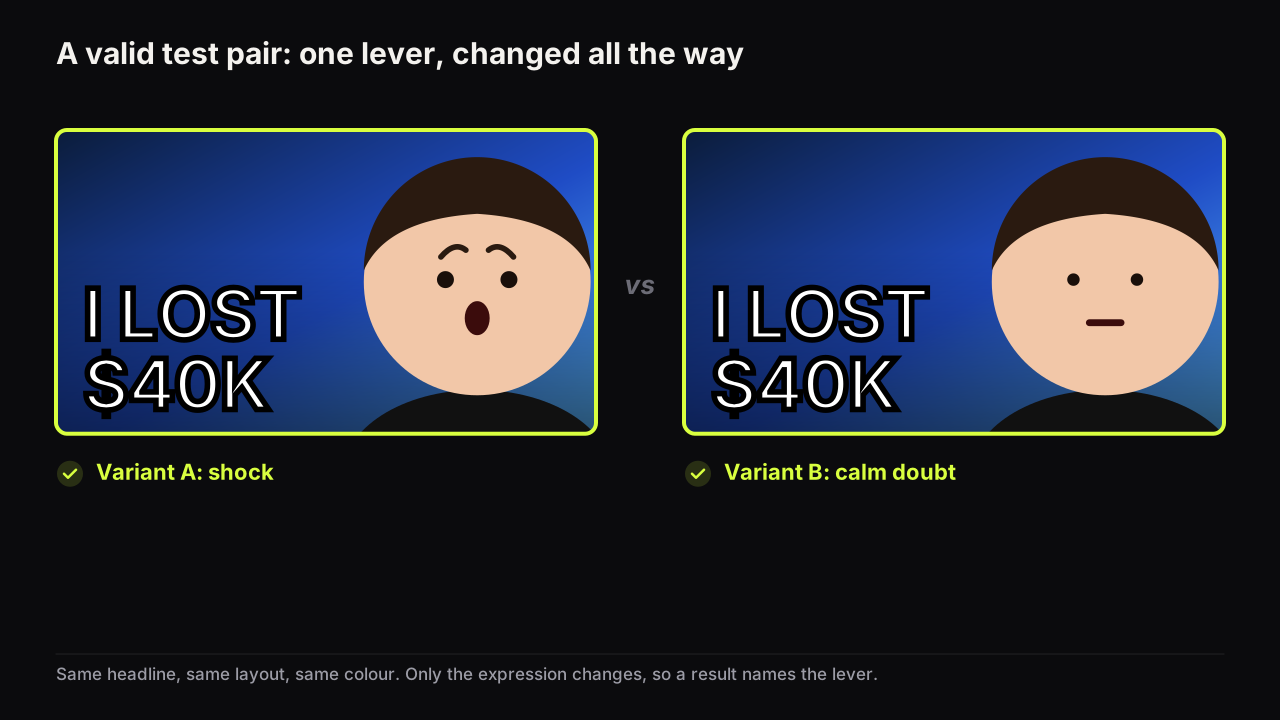
Because the winner is chosen by watch time share, the test is also a check on the promise: an episode cover that sells a claim the conversation reaches only in the last ten minutes brings viewers who leave, and the tool sees it. Run the episode cover against one alternative that differs in one thing (the guest's face against the host's reaction, or the claim against the topic), using the method for running a test and reading its result states. For the clips and the Shorts, which cannot be tested, apply the lesson from the episode.
The question the cover opens has to be one the episode answers early. A podcast is long, and the temptation is to package the most quotable line even when it arrives at minute fifty. Either move the payoff (open the episode with the moment, then go back) or package a claim the first minutes make; the line between a curiosity gap and a broken promise is the one to stay on the right side of.
Refreshing episode covers later
A back catalogue of episodes is evergreen more often than most content: a conversation about a subject stays relevant, and search keeps finding it. Old episodes that still receive impressions with a cover from before the show found its look are the first candidates for a refresh; the decision tree for changing a thumbnail on a video that is already live gives the order, and the batch workflow above applies unchanged, with the old cover as the source rather than a fresh recording.
What to do next
Before the next recording, get thumbnail consent from the guest in writing and decide whose face carries the episode. After the recording, write the one brief, mark the clip moments in the transcript, and make the episode cover first. Produce the clip covers as variations of it in both ratios, check the set as a row at thumb width, and put the episode cover into a test. Log the headline pattern. The second week takes half the time of the first.