On this page
The edit is locked, the upload is set for tomorrow, and you are scrubbing through twenty minutes of footage looking for a frame that could be a thumbnail. There is not one. The moment that would have made the cover happened off camera, or in bad light, or was never filmed at all, because nobody knew when the camera was rolling what the video was going to promise. That evening is what packaging exists to prevent.
Video packaging is the title and thumbnail of a YouTube video treated as one promise: the title says what the video is, the cover says why it matters, and the video keeps the promise early. The term is creators' jargon rather than a word from YouTube's documentation, but the discipline behind it is the difference between a cover that is designed and a cover that is decorated. The discipline has a brief, five named failures, and a test YouTube runs for you, and all three are below.
What packaging is and what it is not
Packaging is everything the viewer sees before deciding to click: the thumbnail, the title, and on some surfaces the first words of the description. In practice creators mean the first two, and so does this guide. It is not tags, keywords, chapters or the description body. Those affect where a video is shown; packaging affects what happens once it is.
The reason to have a word for the pair is that the viewer does not experience them as two things. In a Home feed or a Suggested column the eye goes to the cover, then to the title, then back to the cover, and the decision is made on the combination. A strong cover with a weak title loses at the check. A strong title under a cover that fails the first glance is never read. The pillar on how the click decision happens and the levers that move it describes that sequence in detail. Packaging is the practice of designing for it on purpose.
We use "packaging" because creators do, and because it names a real thing: a promise made in two parts. Do not look for it in YouTube's help pages; they discuss titles and thumbnails separately. Nothing in this guide depends on YouTube using the word.
The promise and its two halves
Every video worth uploading makes a promise, and the packaging is that promise made visible. Write it as one sentence in the viewer's words: "This video shows me how a car loan was paid off two years early, with the maths." The sentence has a what (paying off a car loan early) and a why it matters (two years, the maths, so I could do it too). Packaging splits the sentence across the two surfaces.
The title says what the video is. It is the half that can be read in full, in sentence form, and the half that appears in search. "I paid off my car loan 2 years early. Here is the maths."
The cover says why it matters. It is the half seen first and at a glance, so it carries the emotional or numerical weight in three words and a face: "$4,100 SAVED" with a doubtful face beside a small car.
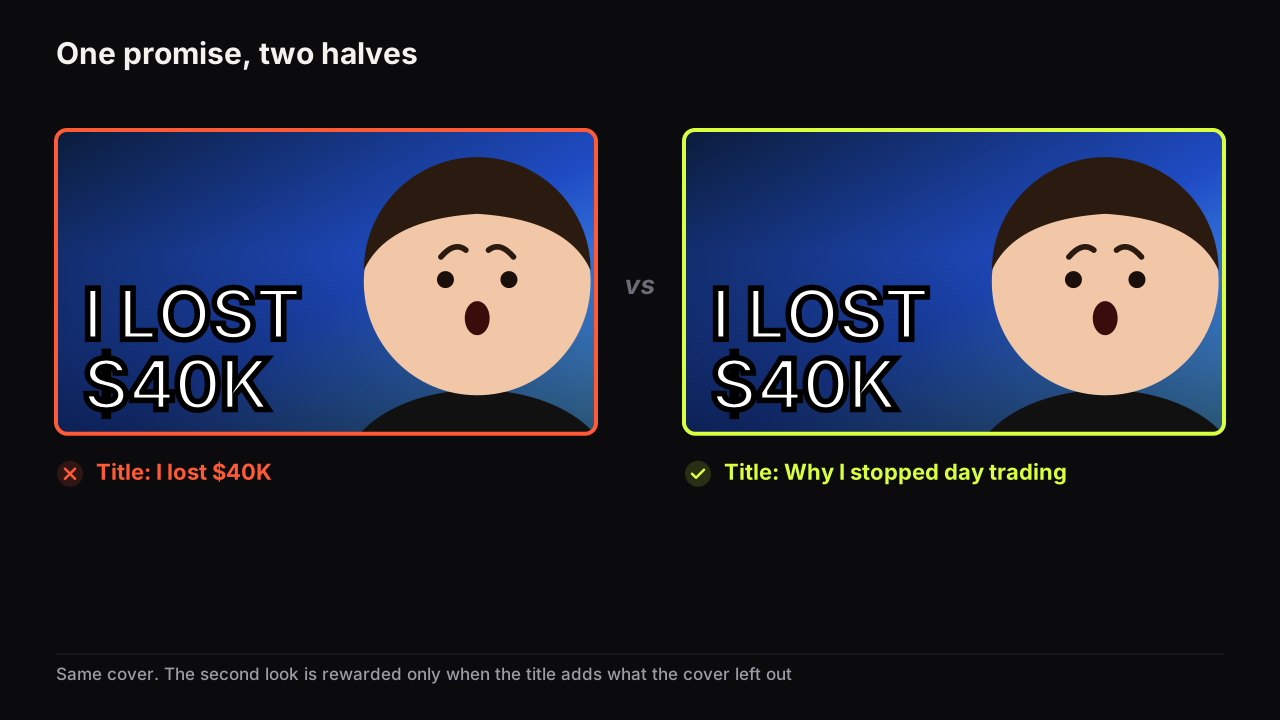
Read together, the second look is rewarded. The cover raises a question ("saved how?"), the title answers part of it ("by paying the loan off early") and leaves the rest ("what maths?") for the video. Read in the other order, the title states a fact and the cover supplies the reason to care about it. The split works in either order, which matters because viewers do not all read in the same order.
YouTube's thumbnail and title tips page says viewers may only see part of the title, and advises limiting ALL CAPS and emoji in titles. Source: YouTube's thumbnail and title tips.
That documented fact has a direct consequence for the split: the part of the promise that cannot be lost has to be on the cover or at the front of the title. If the stakes are in the last four words of the title, some viewers never see them. Front-load the title, and give the cover the piece the title is most likely to lose.
The split applied to five kinds of video:
| The idea | Title (what) | Cover headline (why it matters) | Face | Object |
|---|---|---|---|---|
| Paying off a loan early | I paid off my car loan 2 years early. Here is the maths. | $4,100 SAVED | Doubt | The car, small |
| A budget PC build | Building a gaming PC for $300 in 2026 | $300 | Curious | The finished PC |
| A 30-day fitness challenge | I did 100 push-ups a day for 30 days | DAY 30 | Strain | The body |
| A product review | Why I returned the new headphones after a week | NOT WORTH IT | Disgust | The headphones, large |
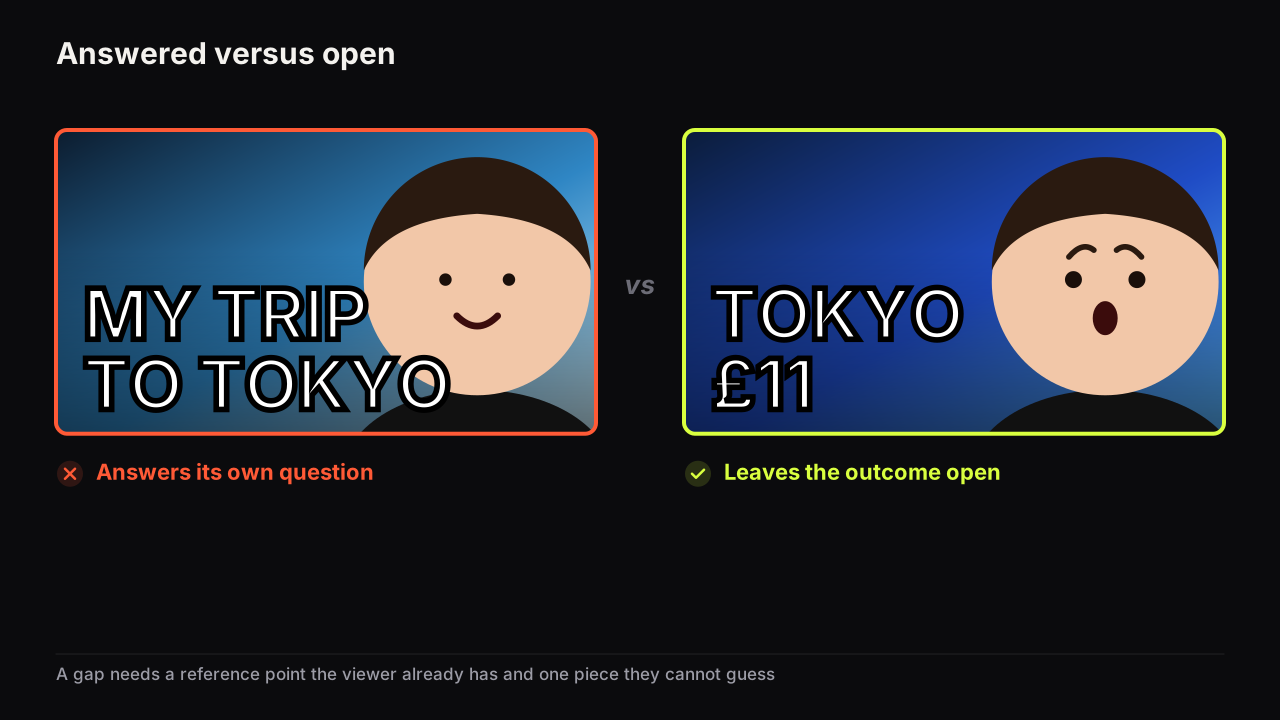
| A travel cost breakdown | What a week in Tokyo actually costs | £11 A DAY | Shock | A bill |
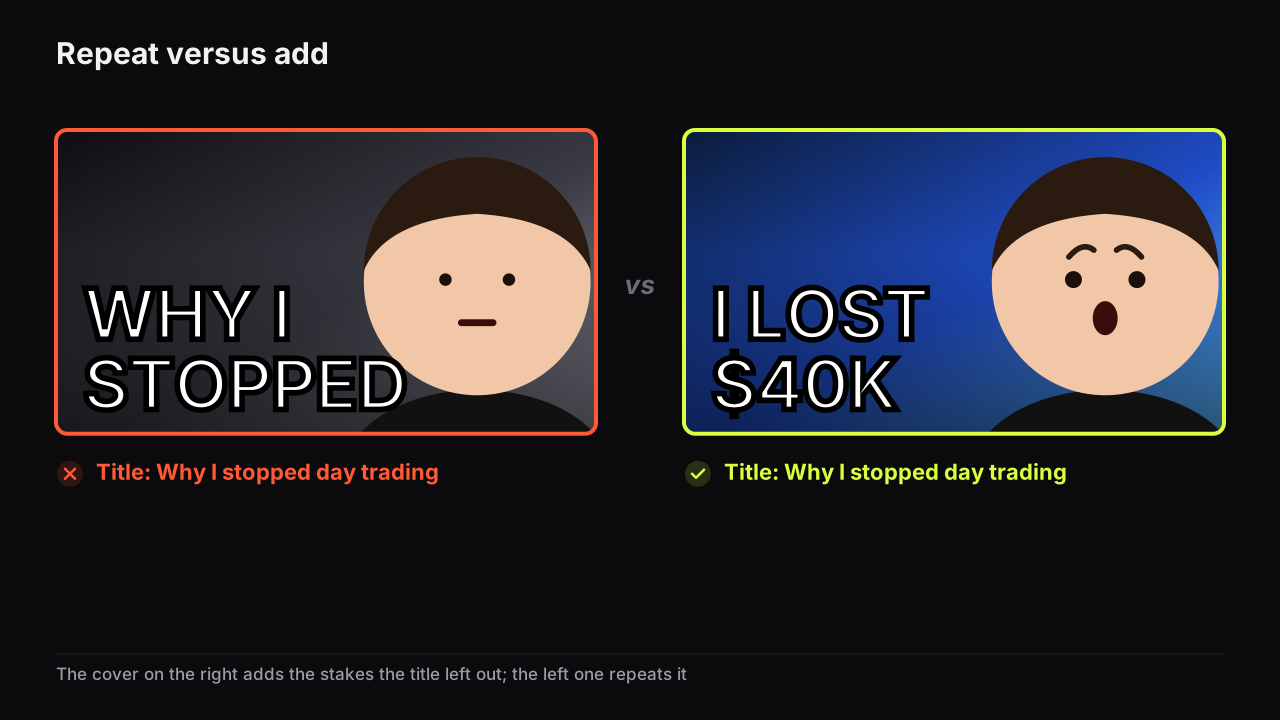
Notice what the cover never does in the table. It never restates the title, it never uses more than three big words, and it never carries a detail the picture already shows. Those three habits are the whole of the answer to whether thumbnail text should repeat the title, and the reasoning behind keeping the cover to three big words.
Yes, I've gone back and changed a title because of the thumbnail, and the other way round. The usual trigger is a pair where each half makes sense on its own and together they say the same thing twice. That sends me back to one of them. I want the thumbnail to carry one piece of the question or the tension and the title to add another piece, not caption the image.
Package before you film
A video that cannot be packaged is a weaker video idea, and the cheapest place to find that out is before the shoot. Packaging first also fixes the most common editing problem we see: the moment that pays the promise sits in the middle of the video because nobody knew, when filming, what the promise would be.
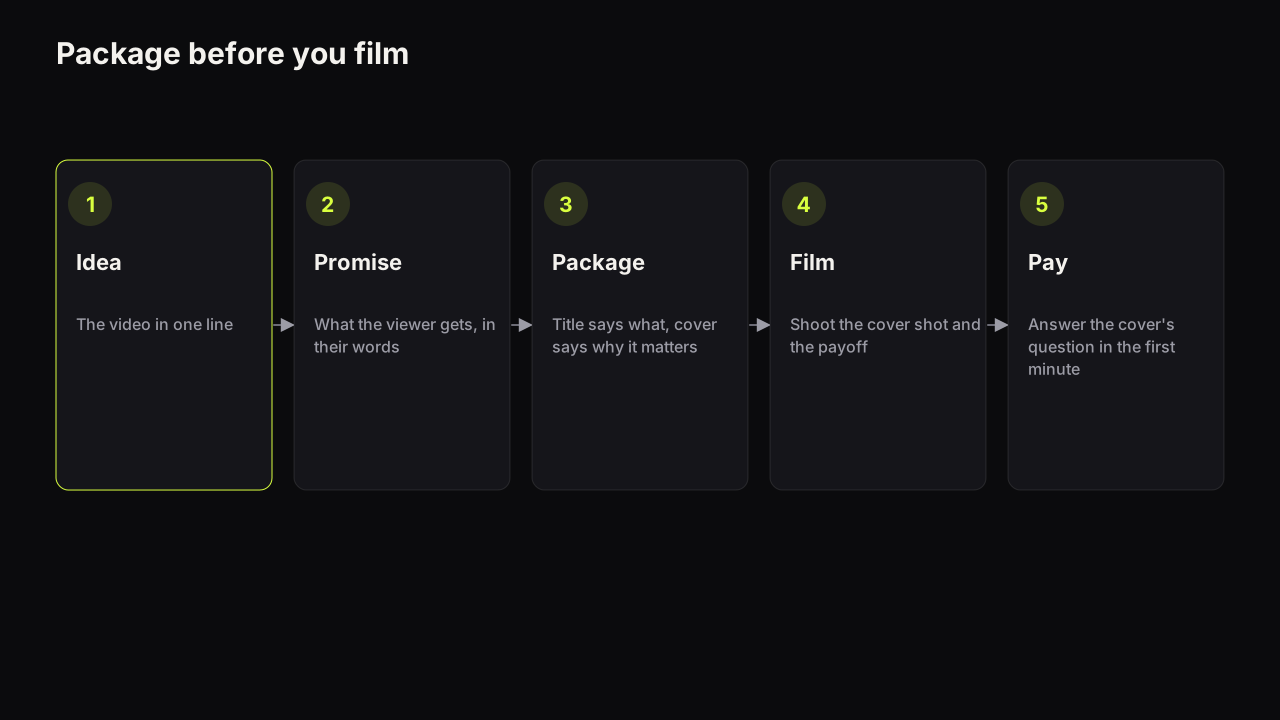
- Idea. State the video in one line. "A month of daily push-ups."
- Promise. Rewrite it as what the viewer gets. "See what 30 days of push-ups did to my body, and whether it was worth the shoulder pain."
- Package. Split the promise: title says what, cover says why it matters. Sketch the cover: face, headline, object. Write the question the cover raises and check the title does not answer it, using the method in the guide to opening a question the video has to answer.
- Film. Shoot the cover shot on the day, in the light and with the object the sketch calls for. Shoot the payoff moment knowing it opens the video.
- Pay. Edit so the question the cover raised is answered within the first minute, then open the next one.
The step that catches most people is the fourth, because it asks for a photograph nobody feels like taking on a shoot day. Illustrative case: a woodworking channel packages a video as "the mistake that cost me a whole sheet of oak". The cover sketch is the creator holding the ruined board, sick expression, good board behind. On the day the ruined board goes in the offcut bin at eleven, and by the time anyone thinks about the cover it is sawdust. Packaging first puts "cover shot: ruined board, before the bin" on the shot list, and the twenty-second photograph happens.
We would do the packaging step before the shoot for every video, including the quick ones where it feels like ceremony, and accept that it delays the start of filming by half an hour. If you cannot write a three-word headline and a title that split one promise, the idea is not ready, and no amount of editing will package it later. Half an hour before the shoot is cheaper than an evening after the edit scrubbing for a frame that does not exist. The repeatable version of this process, with time budgets by channel size, is in the five-step thumbnail workflow.
Our view is that packaging-first is the habit that most reliably separates channels that grow steadily from channels that have occasional hits. The hit channels package the video they already filmed and hope; the steady channels film the video they already packaged. The cost is real: some ideas die at the packaging stage that would have made a decent video, and the channel makes fewer of them. We would pay that, because the ideas that die there are the ones the feed would have killed anyway, later and more expensively.
The packaging brief
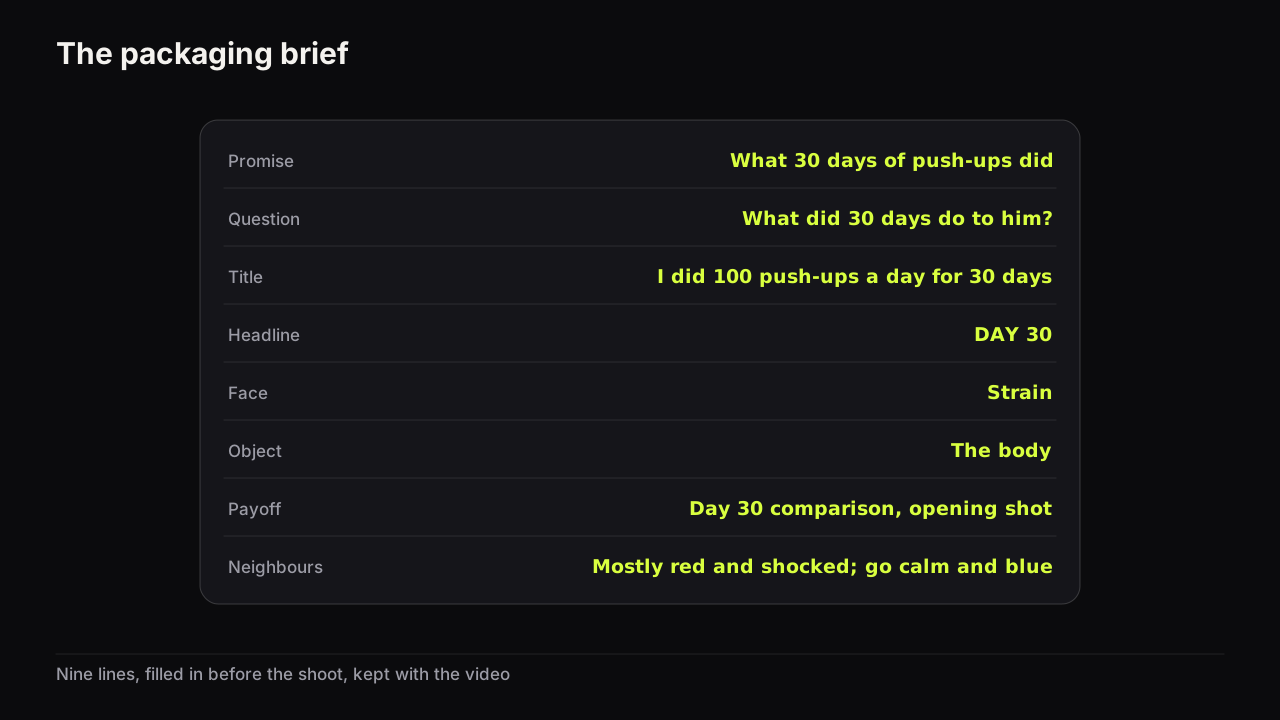
A brief is the promise written down in a form that can be handed to an editor, a designer, a generator, or your future self. Ours has nine lines. Fill it in before the shoot and keep it with the video.
| Line | What goes in it | Example |
|---|---|---|
| Promise | One sentence in the viewer's words | See what 30 days of push-ups did, and whether it was worth it |
| Question | What the viewer asks after seeing the cover | What did 30 days do to him? |
| Title | The what, front-loaded | I did 100 push-ups a day for 30 days |
| Headline | The why it matters, three big words | DAY 30 |
| Face and emotion | One nameable expression, one word | Strain |
| Object | The thing in frame that gives the face its cause | The body, or a chalk tally |
| Levers | The two levers this cover pulls | Curiosity (missing outcome), stakes (the body) |
| Payoff | The moment that answers the question, and where it sits | Day 30 comparison, opening shot |
| Neighbours | What the niche's covers look like this month | Mostly red, mostly shocked; use calm and blue |
The brief maps directly onto the fields a generator asks for, which is not a coincidence: a generator needs the same decisions a designer does. On the bench the scene description is the promise and the object, the "Words on it" field is the headline (rendered into the image by the model, so keep it to the three words), the face is a saved Face Lab cut-out, and the style is the layout. The maker returns up to four options from that brief in about a minute, and the brief is what stops the four from being four different promises.
Five ways packaging goes wrong
Most packaging failures are one of five, and each has a symptom you can see in the pair before upload and a fix that does not require a redesign.
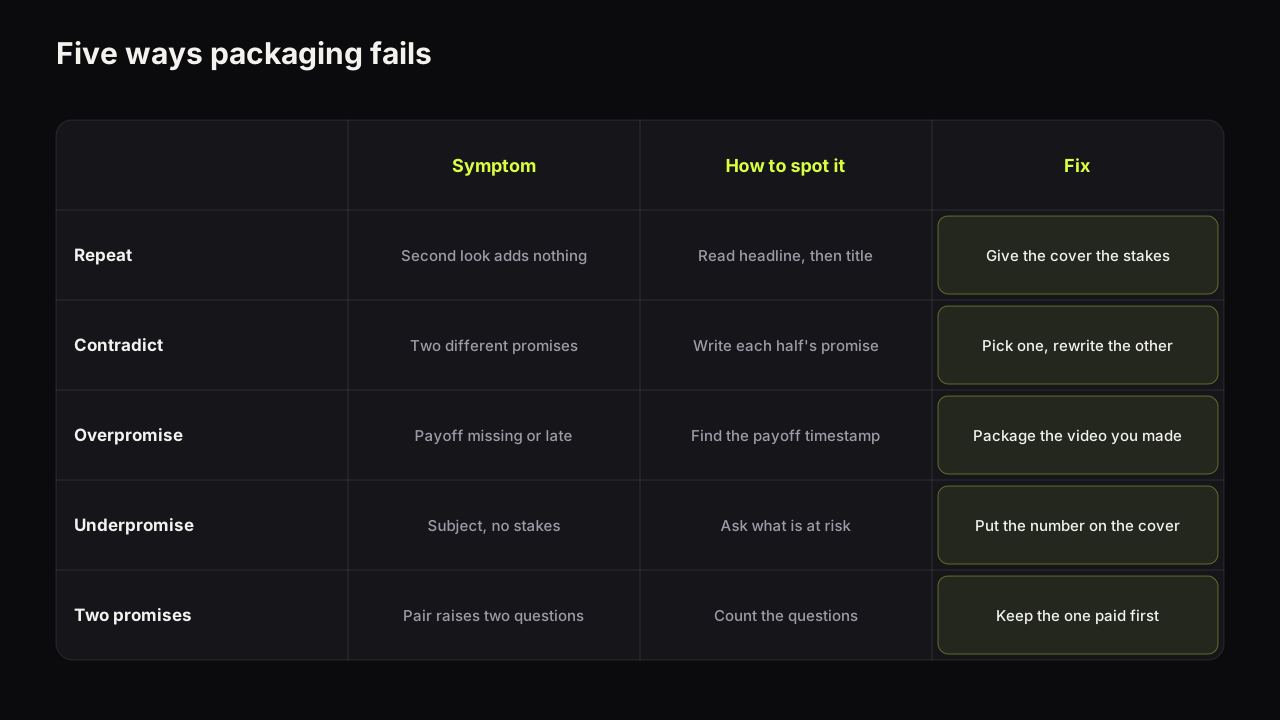
Repeat. Cover and title say the same words. The second look teaches nothing, and the cover has spent its three words on something the title already does. Spot it by reading the headline aloud, then the title: if the second sentence adds nothing, it is a repeat. Fix: give the cover the stakes, the detail or the contradiction the title lacks.
Contradict. Cover and title make different promises. The cover shows a triumphant face and "DAY 30"; the title says "Why I quit on day 12". The viewer cannot form one question and moves on, or clicks confused and leaves. Spot it by writing the promise sentence from the cover alone and from the title alone; if they differ, it is a contradiction. Fix: choose one promise and rewrite the half that disagrees.
Overpromise. The packaging implies an outcome the video does not contain, or contains only at the end. This is the failure with a policy dimension.
YouTube's thumbnails policy says misleading titles, thumbnails and descriptions that promise content the video does not contain fall under the spam, deceptive practices and scams policy. Source: YouTube's thumbnails policy.
Short of policy, overpromise costs you in the test, for the reason explained below: the viewers it brings leave early. Spot it by finding the exact moment in the video that pays the cover's promise and noting the timestamp. If there is no such moment, or it is deep in the video, the packaging is overreaching. Fix: package the video you made, or re-edit so the payoff opens the video.
Which fix to choose is a judgement call. Illustrative case: a thirty-day challenge video has the day-30 comparison at minute fourteen. If the comparison is strong, we would re-edit, opening on the comparison and then going back to day one, because a strong payoff carries the video from the first shot and the cover can promise it honestly. If the comparison is underwhelming, re-editing only moves the disappointment to the front, so we would repackage instead around whatever the first minute genuinely delivers, which might be the moment on day three when the shoulder went. Package the video you have, not the video you planned.
Underpromise. The packaging describes the subject and not the reason to care. "CAR LOAN TIPS" under "5 tips for your car loan". Nothing is false; nothing is compelling. This is the most common failure on channels with good content and a flat click-through rate. Spot it by asking what is at stake; if the answer is "nothing in particular", it is an underpromise. Fix: find the number, the outcome or the contradiction inside the video and put it on the cover.
Take that car-loan example a step further, as an invented walk-through. Watch the video back with a notepad. Tip three turns out to be about a fee most lenders will waive if asked, and the creator says on camera what it saved them. There is the cover: the figure, large, with a face that says "I did not know that either". The title becomes "The car loan fee nobody tells you to refuse (and 4 more)". Nothing in the video changed. The number was sitting in the footage the whole time.
Two promises. The cover makes one promise and the title makes a different, equally valid one, so the viewer gets a video that half-answers both. Common when a title is written for search and a cover for browse without reconciling them. Spot it by counting the questions the pair raises; more than one is two promises. Fix: pick the promise that the first minute of the video actually pays, and rewrite the other half to support it.
A sharp drop in click-through rate after a change to either half is often one of these five rather than a design problem. The guide to the reasons a CTR can fall while the video is doing well covers how to tell packaging failures from distribution changes.
When we are unsure which side of the line a package sits on, we would underpromise, and accept the clicks that costs. An underpromise loses a click; an overpromise loses the click, the viewer, and the test, because the tool judges by watch time and the viewer who felt misled leaves early. One is a smaller video. The other is a smaller channel.
Packaging for search and packaging for browse
The split rule has one large exception, and it is worth understanding rather than memorising. A viewer who arrives from search already has the question; a viewer who arrives from Home or Suggested does not.
For search-led content (how-to, fixes, comparisons people type into the box), the cover's job is to confirm relevance at a glance, and a headline that overlaps the title's key words does that. "FIX WIFI DROPOUTS" on the cover and "How to fix Wi-Fi dropouts on Windows 11" as the title is a repeat by the rule above, and it is the right choice here, because the viewer is scanning for their own words.
For browse-led content (stories, challenges, opinions, anything the viewer did not go looking for), the split is the rule. The cover has to supply the question the viewer did not bring, and a title that repeats it closes the gap before the click.
Even the exception has an exception. Search the Wi-Fi query and look at the results. If every cover on the page already says some version of "FIX WIFI", the confirming headline confirms nothing, because the eye cannot tell yours from the others. In that row we would split after all: title exact for search, and the cover given the one thing the other results do not show, the specific setting circled on a screen, or "2 MINUTES" if the fix is quick. When the whole row is confirming, the split is the interruption.
Most channels have both kinds of video, and the traffic-source breakdown in YouTube Studio tells you which is which. The guide to why a good click-through rate depends on where the impressions come from explains how to read that breakdown. For packaging, the rule is to know which kind of video you are packaging before you decide whether the cover confirms or provokes.
Testing packaging as a unit
Because the viewer experiences the pair, the fair test is of the pair.
YouTube's help page on A/B testing titles and thumbnails says Test & Compare in YouTube Studio can test up to three titles, thumbnails, or title and thumbnail combinations per video, that the result is decided by watch time share rather than clicks, and that a test can take a few days or up to two weeks, resolving faster with more different variants and more impressions. It runs from YouTube Studio on desktop for public long-form videos and podcast episodes, not Shorts. Source: YouTube's A/B testing help page.
Two things in that fact shape how to test packaging. Combinations are allowed, so you can test two complete promises against each other rather than two fonts. And the winner is decided by watch time share, which means the tool is measuring whether the promise was kept, not only whether it was clicked. A packaging variant that overpromises brings viewers who leave early, and the tool sees it. The explainer on why YouTube's testing tool decides by watch time share works through what each result state means.
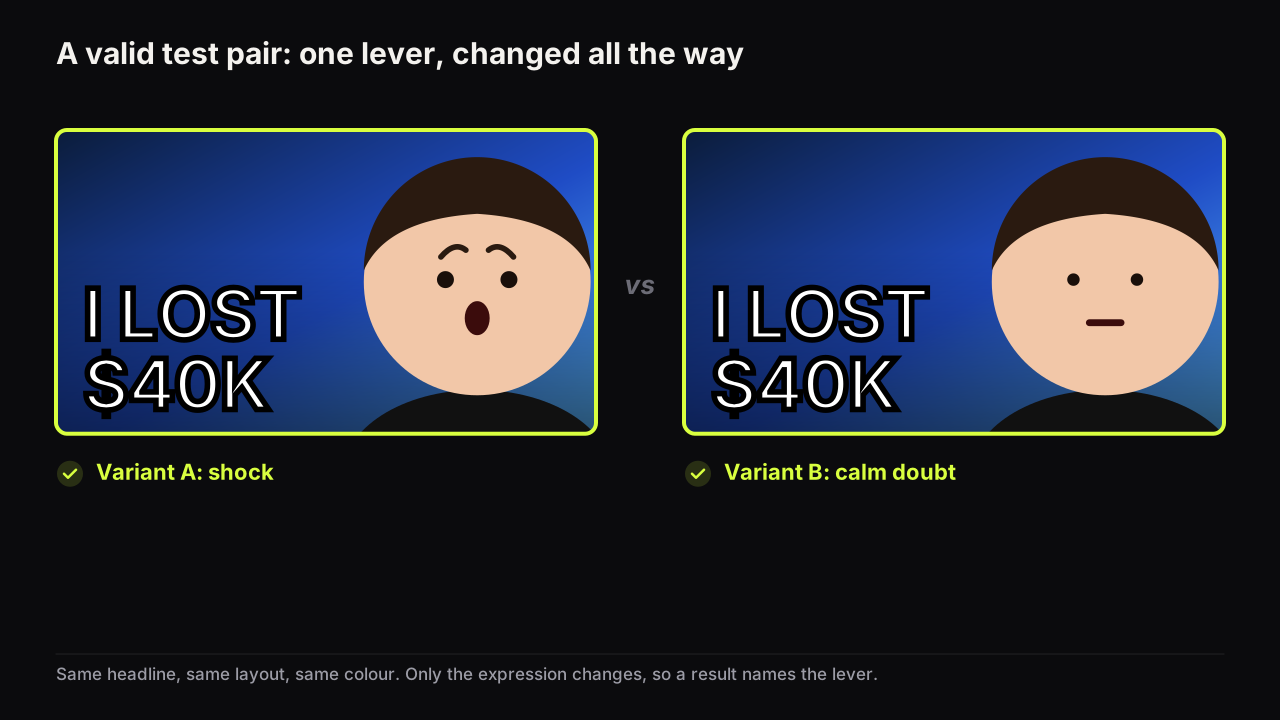
When you test combinations, vary the promise, not the decoration, even though promise variants take longer to make and feel riskier to run. Variant A: "$4,100 SAVED" with a doubtful face and the title "I paid off my car loan 2 years early. Here is the maths." Variant B: "2 YEARS EARLY" with a calm face and the title "The exact plan I used to kill a $22,000 car loan." Both are honest, both are split, and they lead with different levers (stakes and specificity against specificity and method). The result tells you which lever this audience answers to, which is a lesson you can reuse on the next twenty videos. Two variants that differ only in font tell you about fonts.
The method for designing variants that differ in one thing, the manual swap for videos the tool cannot test, and how to write down the lesson rather than the score are all in the guide to A/B testing thumbnails with Test & Compare and the manual method. If the video is already live and the question is whether to repackage it at all, the decision tree for changing a thumbnail on a live video comes first.
A packaging review before upload
Run the pair through this list. It takes a couple of minutes and catches all five failures.
- Write the promise as one sentence. Can you point to the half of it in the title and the half in the cover?
- Read the headline aloud, then the title. Does the second one add something? If not, it is a repeat (unless the video is search-led).
- Write the promise from the cover alone, then from the title alone. Do they agree? If not, it is a contradiction.
- Find the timestamp where the promise is paid. Is it within the first minute? If not, it is an overpromise or an edit problem.
- Ask what is at stake. If the answer is "nothing in particular", it is an underpromise.
- Count the questions the pair raises. More than one is two promises.
- Cover the last half of the title with a thumb. Does the promise survive? If not, front-load it.
- Name the expression in one word and check it matches the promise, using the [expression-to-promise table](/resources/thumbnail-facial-expressions) if in doubt.
If it were our channel
Say we ran a home-renovation channel and the next video was fitting a kitchen worktop ourselves. Before booking the day we would write the promise: "See whether a first-timer can fit a solid worktop without ruining it, and what it cost against a fitter's quote." Two things are at stake, the risk and the money, and a cover can carry one. We would give the cover the money, because a figure reads at thumb width and risk needs a story, and let the title carry the risk: "I fitted my own kitchen worktop. Here is what went wrong."
Cover sketch: our face, doubt rather than triumph (a triumphant face answers the title's question), the saved amount as the headline, the worktop's cut end as the object. The shot list gets two extra lines: the cut end while the sawdust is still on it, and the payoff filmed to open the video.
The trade-off: if the fit went badly, the saved amount comes off the cover, because a figure the video does not reach is an overpromise. Better to re-brief on the evening of the shoot than keep a headline the footage cannot honour. For the test, two combinations: the money-led pair against a risk-led pair ("THE MISTAKE" with a wince, and the title carrying the saving). Whichever the audience answers to tells us how to package the next six renovation videos, which is worth more than winning this one.
Common questions
Should I write the title or the thumbnail first?
Write the promise first, as one sentence, then split it. In practice the cover headline is the harder half because it has to be three words, so we draft the headline before the title and let the title carry what the headline could not. Either order works as long as both come from the same sentence.
Can the thumbnail say what the video is and the title say why it matters?
Yes. The split is the rule, not which half takes which job. Reviews often work that way: the cover shows the product and a verdict face, and the title carries the consequence ("I returned it after a week"). Choose the assignment that leaves the more visual half on the cover.
How long should a YouTube title be?
The hard limit is 100 characters, per YouTube's upload help. How much of that a viewer actually sees is not documented: YouTube's own tips page says viewers may only see part of the title, so put the words that matter at the front and treat everything after them as optional. The three limits people confuse are separated in the piece on YouTube title length.
Is packaging a YouTube term?
No. It is creators' jargon for the title and thumbnail treated as one unit, and we use it because it is the word creators use. YouTube's documentation talks about titles and thumbnails separately.
What to do next
Fill in the nine-line brief for your next video before you film it, and shoot the cover shot on the day. If you have a video already live whose cover and title were made separately, run the review list on the pair; the failure is usually repeat or underpromise, and both are fixable without a reshoot. For the craft of the cover itself once the packaging is decided, the complete guide to how thumbnails earn the click covers the parts of a cover and the phone check.
Two more pieces make the title half concrete: title formulas and the cover patterns each one needs, and the one-page packaging brief to fill in before you film.