On this page
A YouTube video that gets impressions but no views is being shown and not chosen: YouTube counted the thumbnail appearing on someone's screen, and that person scrolled past. The cause is one of three things. The video is being shown to people it was not made for, the cover is losing the first glance before anyone reads it, or the promise on the cover suits one surface (search, say) and fails on the surface that is actually delivering the impressions. Each leaves a different trace in YouTube Analytics, and only one of the three is fixed by making a better-looking thumbnail.
What an impression is, and why "no views" is usually "a low rate"
An impression is YouTube's count of how often a thumbnail was shown, under a narrow definition.
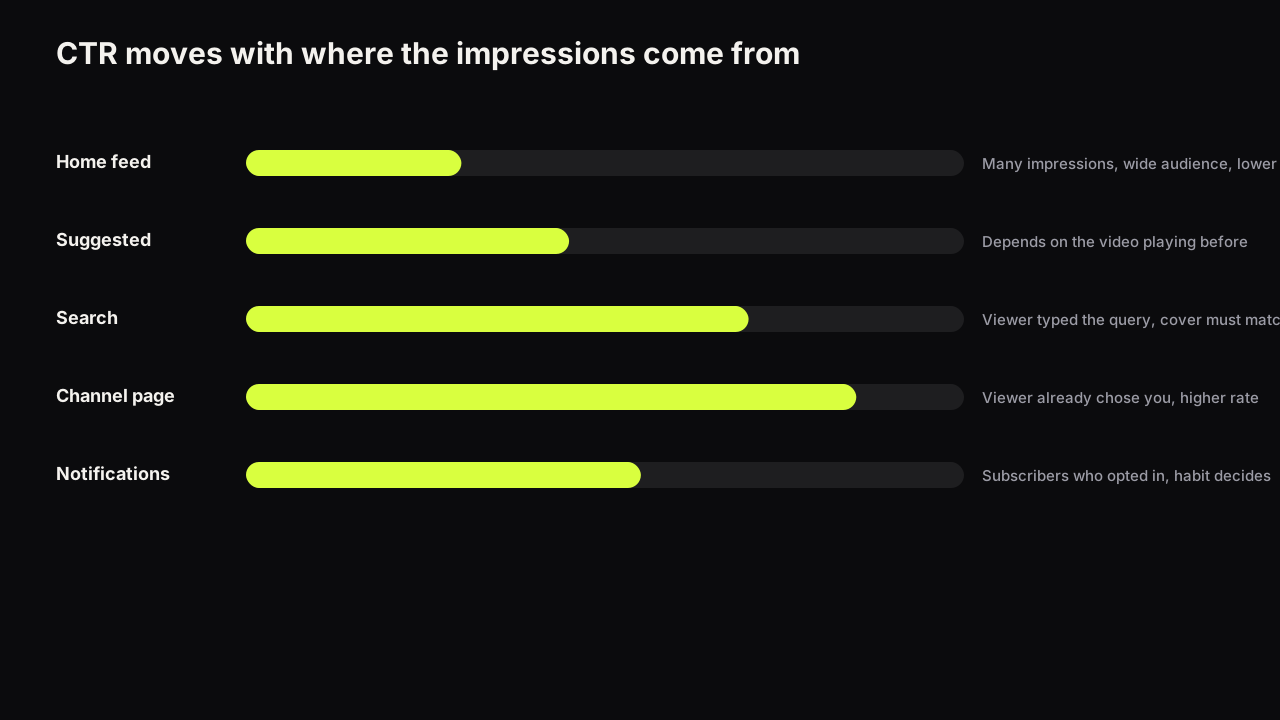
YouTube's impressions and click-through rate FAQ counts an impression when a thumbnail is shown for more than one second with at least half of it visible. Some impressions, on external sites, end screens and some embeds, are not counted. The same page says half of all channels and videos have an impressions click-through rate between 2% and 10%, that new videos and channels (less than a week old, for example) or videos with fewer than 100 views can see a wider range, and that a video shown a lot, for example on the Home page, will naturally have a lower rate.
An impression is not a look. A cover that slid under a thumb, half visible, for a moment, counts, so the denominator of your rate includes people who never evaluated the cover at all. And "impressions but no views" is almost always "impressions at a rate below what I expected". Ten thousand impressions at a rate near the bottom of that 2 to 10 band is a couple of hundred views: nothing next to the impression count, and by YouTube's own figure, ordinary.
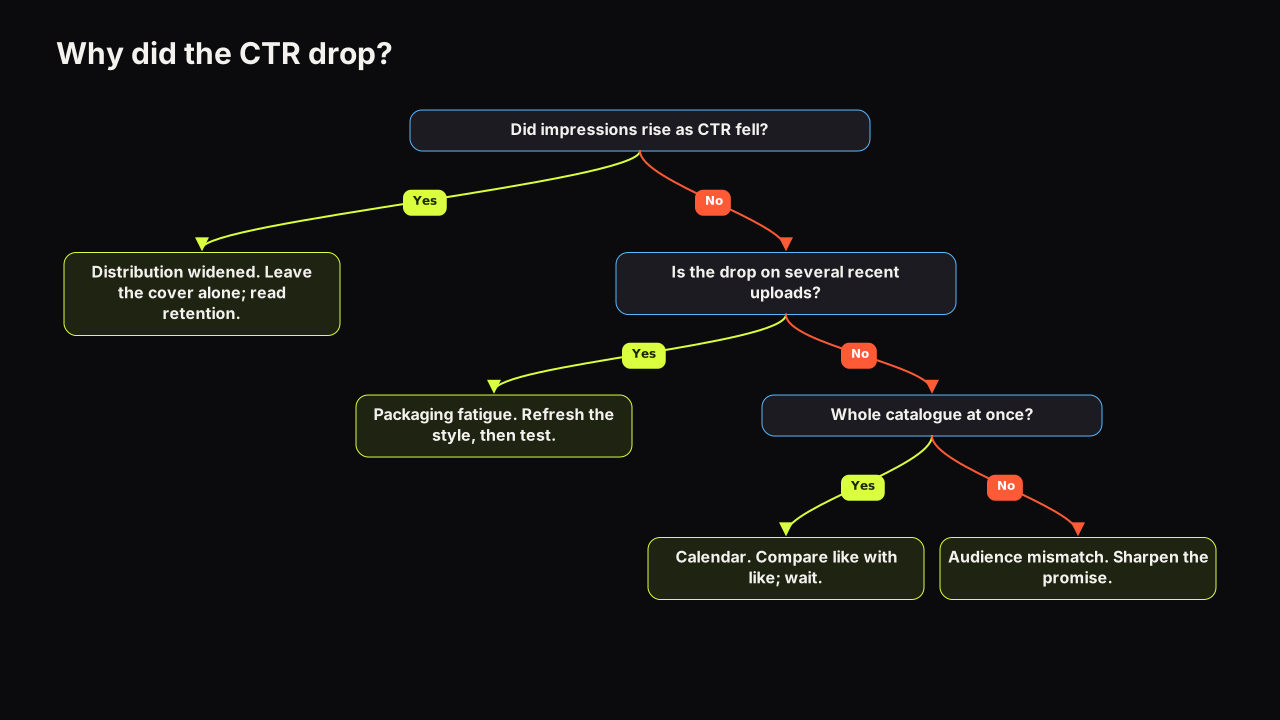
So the first check is whether the rate is low for your channel. What impressions click-through rate measures, and how to build a baseline by traffic source and video age is the foundation; a Home-heavy video judged against a channel-page baseline will always look broken. If the rate was fine and slid as the impressions grew, that is a different and usually happier story, covered in why a falling CTR is often a sign of wider distribution. The rest of this piece assumes the rate is below your baseline for the same source and age.
The three causes, and how to tell them apart
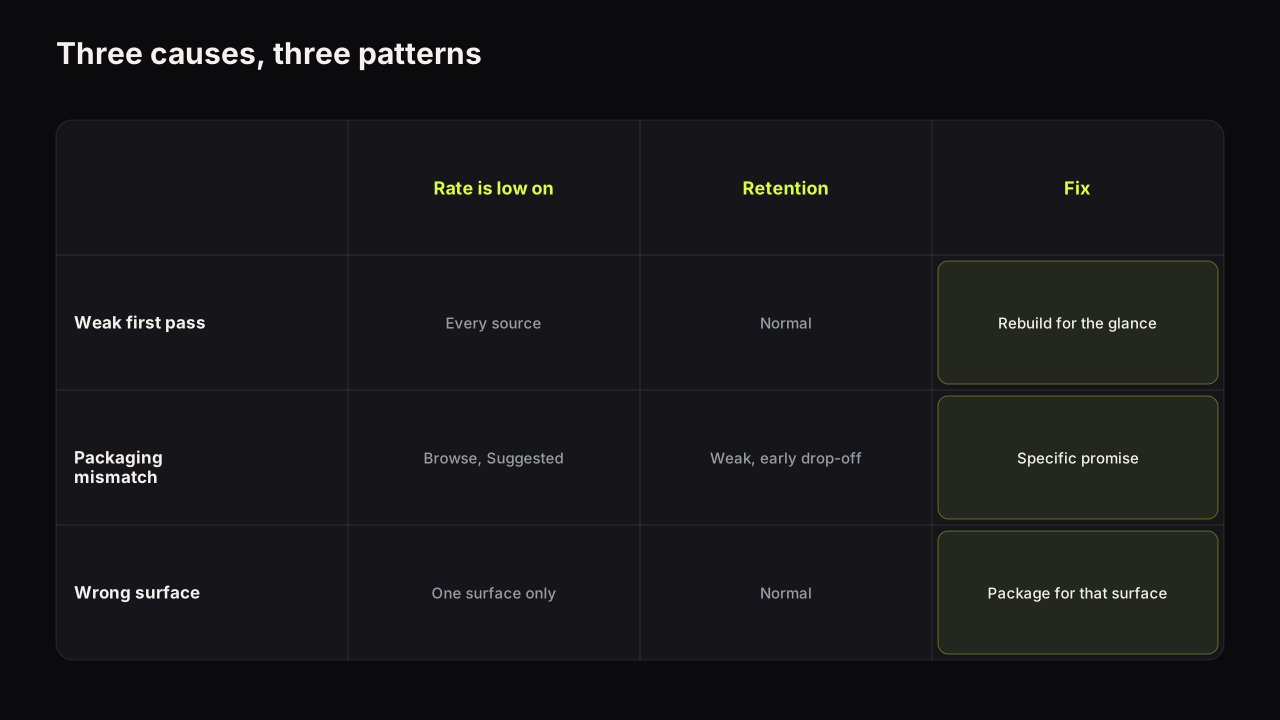
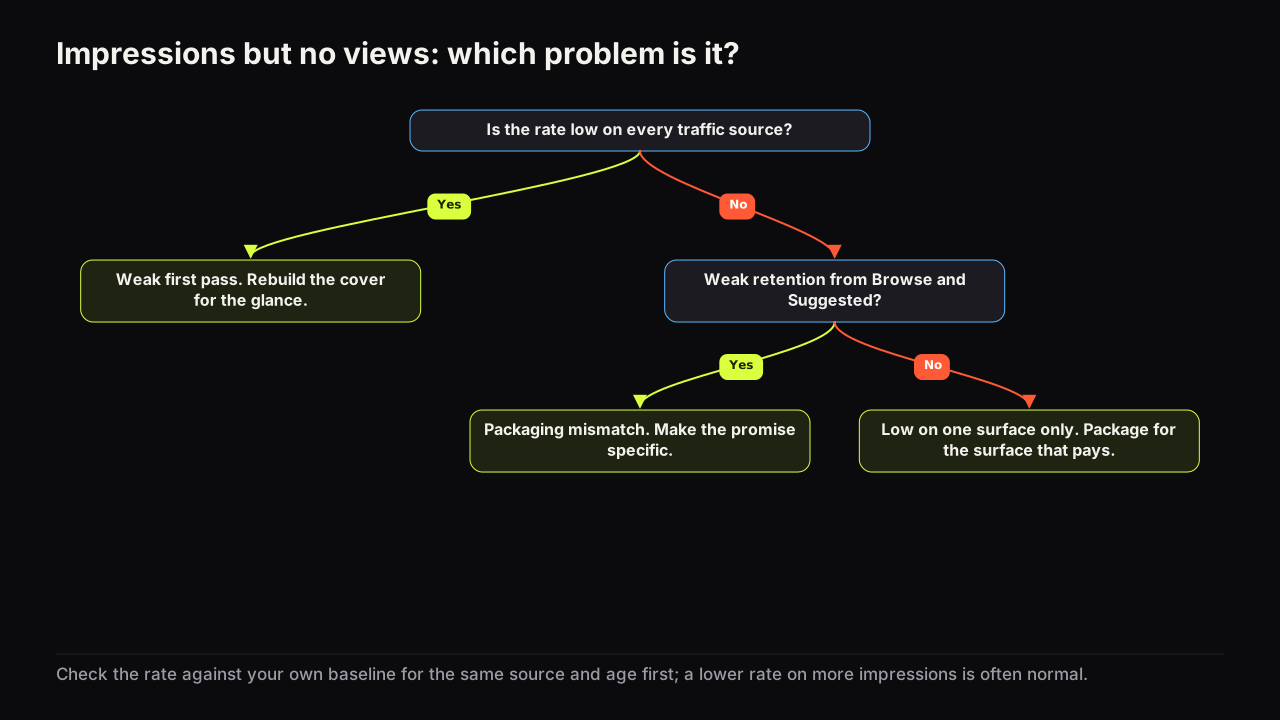
| Cause | Where the rate is low | Retention of those who click | Fix |
|---|---|---|---|
| Weak first pass | Every source, including channel page and subscriptions | Normal | Rebuild the cover for the glance |
| Packaging mismatch | Browse and Suggested, arriving from unrelated videos | Weak, early drop-off | Make the promise specific |
| Wrong promise for the surface | One surface (search, or Suggested), not the others | Normal from the good surface | Package for the surface that pays |
Weak first pass: the cover loses before it is read
The signal is a rate below your baseline on every source at once, including the channel page and the subscriptions feed. People who already like you are not clicking, so the cover is failing at the stage before reading: shape, brightness contrast, a face, a colour that differs from the neighbours. Those who do click watch normally; the packaging just did not stop the scroll.
The covers we see failing here share a look: low brightness contrast, a face that is small or centred with the room around it, five or more words, and a dominant colour that matches the rest of the row. Nothing on the cover is wrong; nothing on it is visible either.
Take a hypothetical cover for a video about a sticking bike brake: a wide shot of the garage, the creator small at the workbench, "BIKE MAINTENANCE TIPS" in thin white capitals along the bottom, grey wall behind a grey bike. At thumb width in the subscriptions feed, a viewer who likes this channel sees a grey rectangle with a pale smudge at the bottom and keeps going. The rebuild keeps the idea and changes the glance: crop to the caliper and a hand, a yellow rag against the dark frame, "STILL RUBBING?" in two heavy words on the left, no face because the video is about the brake. The viewer now infers a specific problem and a fix before reading anything. That is the first-pass layer, and it is the only layer this diagnosis touches. Shrink your own cover to thumb width and ask whether you can name the emotion and read every word; why the phone read decides most clicks gives the check, and the pre-upload checklist makes it a routine. Of the seven levers that make people click, two work on a viewer who has not looked yet, novelty and clarity, and those are the two to pull.
Packaging mismatch: shown to people the video is not for
The signal is a low rate on Browse features and Suggested videos, with Suggested traffic arriving from videos unrelated to yours, and weak retention from the few viewers who did click. The channel-page rate may be fine.
This is a promise problem. The title or the cover carries a general word that pulls a general audience, the video is specific, and general audiences do not click specific covers they cannot place. The few who click leave early because the video is not what they thought.
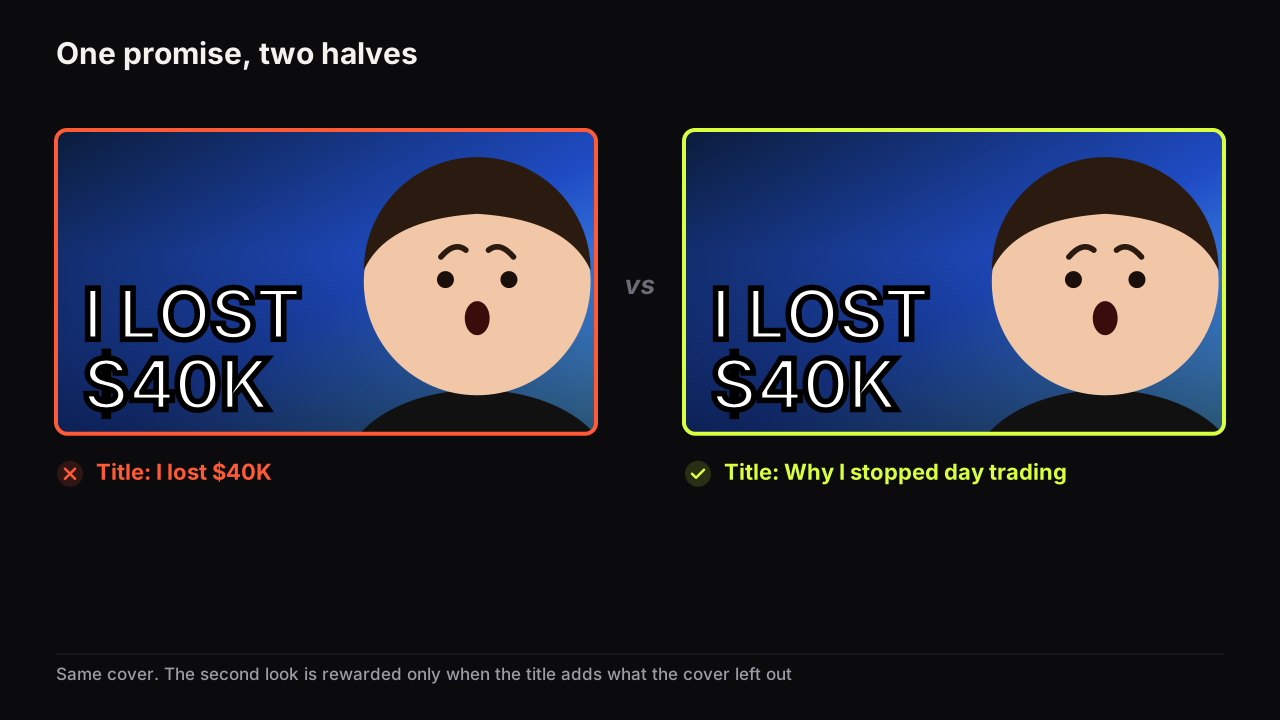
The fix is specificity in both halves of the package: the town instead of "abroad", the console instead of "gaming". How title and thumbnail divide one promise covers the split; both halves should name the audience precisely enough that the wrong audience scrolls past, and fewer impressions from a better-matched audience is a good trade.
Wrong promise for the surface
Here the rate differs sharply by source: fine from search and poor from Suggested, or the reverse. The cover is answering a question that one surface asks and another does not. A search impression arrives with the viewer's query in front of them, so a cover that names the thing they typed does well and a curiosity cover can look evasive. A Suggested impression arrives next to another video, so the cover has to promise something the viewer's current mood wants, and a descriptive cover can look like homework.
Read the impressions by traffic source before choosing the cover's style. A how-to that lives on search should describe; a story that lives on Suggested should open a question. Build the cover for the surface that delivers the impressions rather than splitting the difference.
How to check in YouTube Analytics
As of September 2026, the reach reporting in YouTube Analytics shows impressions, impressions click-through rate and the traffic sources behind the impressions, which is everything this routine needs.
- Compare the rate with your baseline at the same age and source. Inside your usual spread means there is nothing to diagnose; the impression count is simply larger than you are used to.
- Open impressions by traffic source. Note which sources carry most of the impressions and the rate on each.
- Look at the channel page and subscriptions rate. Low there too means a weak first pass. Fine there means the problem is the audience or the surface.
- Read retention for the viewers who clicked. Early drop-off from Browse and Suggested confirms a mismatch. Normal retention with a low rate on one surface confirms a surface problem.
In a video's first days the mix is still moving and the rate is not settled, for the same reasons a thumbnail test needs its full window. Diagnose after the first week.
What to change first
Change the cheapest thing the diagnosis points at, one thing at a time.
- Weak first pass: the same idea with a stronger glance. Bigger face on one side, three words or fewer, brightness contrast, a dominant colour the row does not use. Keep the title.
- Mismatch: a more specific cover first, then the title if the cover alone does not move the audience. We would change the cover before the title even though the title is the quicker edit, because a new title can also change which searches the video surfaces in, and then two things have moved and you cannot tell which one worked.
- Wrong surface: a cover built for the surface that delivers the impressions. Leave the title unless it is pulling the wrong query.
On a public long-form video, run the new cover against the old one with Test & Compare rather than swapping blind. YouTube decides by watch time share, the right judge for the mismatch case, because the cover that brings the right viewers can win with fewer clicks. The method, and the manual swap for videos the tool cannot test, is in the guide to A/B testing thumbnails on YouTube. On the bench, the second cover is a Tweak: the current render becomes the source, you change the one thing the diagnosis named, and the rest stays, so the comparison is a comparison of one variable.
What to do next
Open the video's reach report and do steps one to three. If the rate is fine against your baseline, close the tab. The impression count is the good news. If it is low everywhere, rebuild the cover for the glance and check it at thumb width before uploading. If it is low on Browse and Suggested with weak retention, rewrite the promise to name the audience and test the new cover against the old, or carry the lesson to the next upload if this one is days old.