On this page
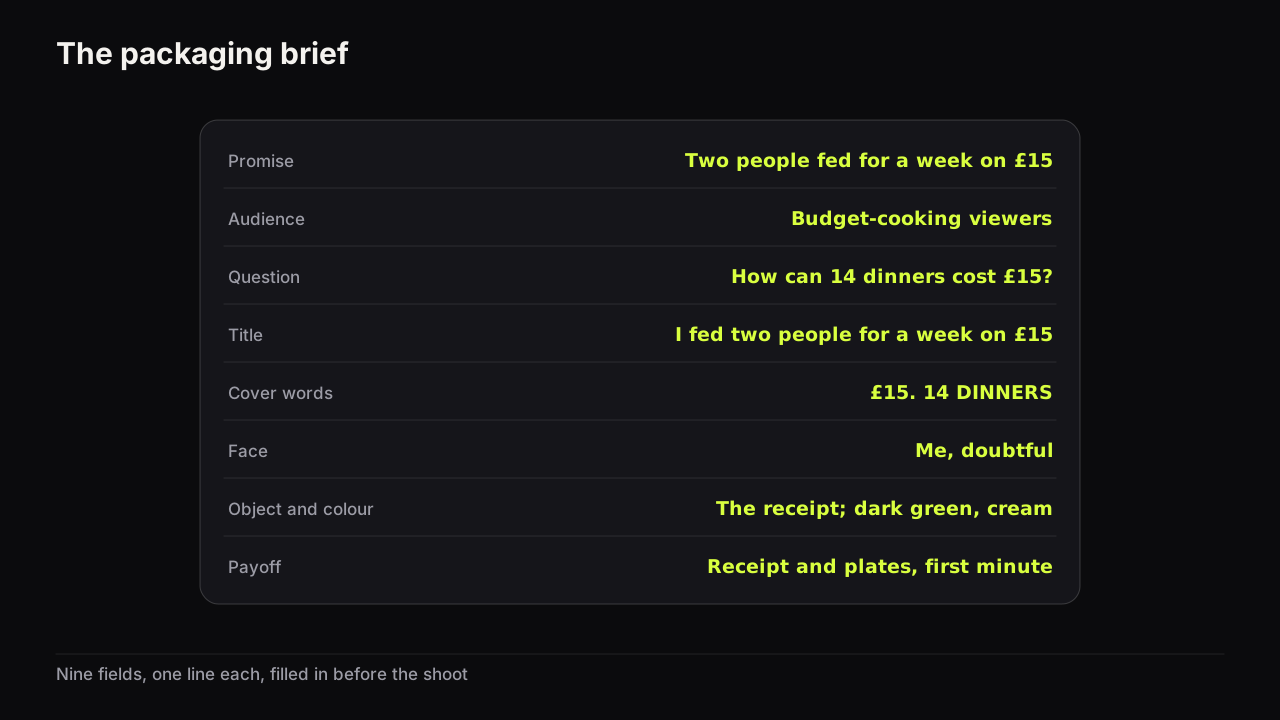
A packaging brief is a one-page template that fixes what a video promises, who it is for, and how the title and the thumbnail will split that promise, written before you film. Ours has nine fields: promise, audience, the question the cover opens, title, cover words, face and emotion, object, colour, and what the video must deliver early. The whole template is the table below. Copy it into your notes, a spreadsheet or the top of your script and fill it in once per video. There is no file to download, on purpose: the brief should live wherever your scripts already live, not in a folder you stop opening.
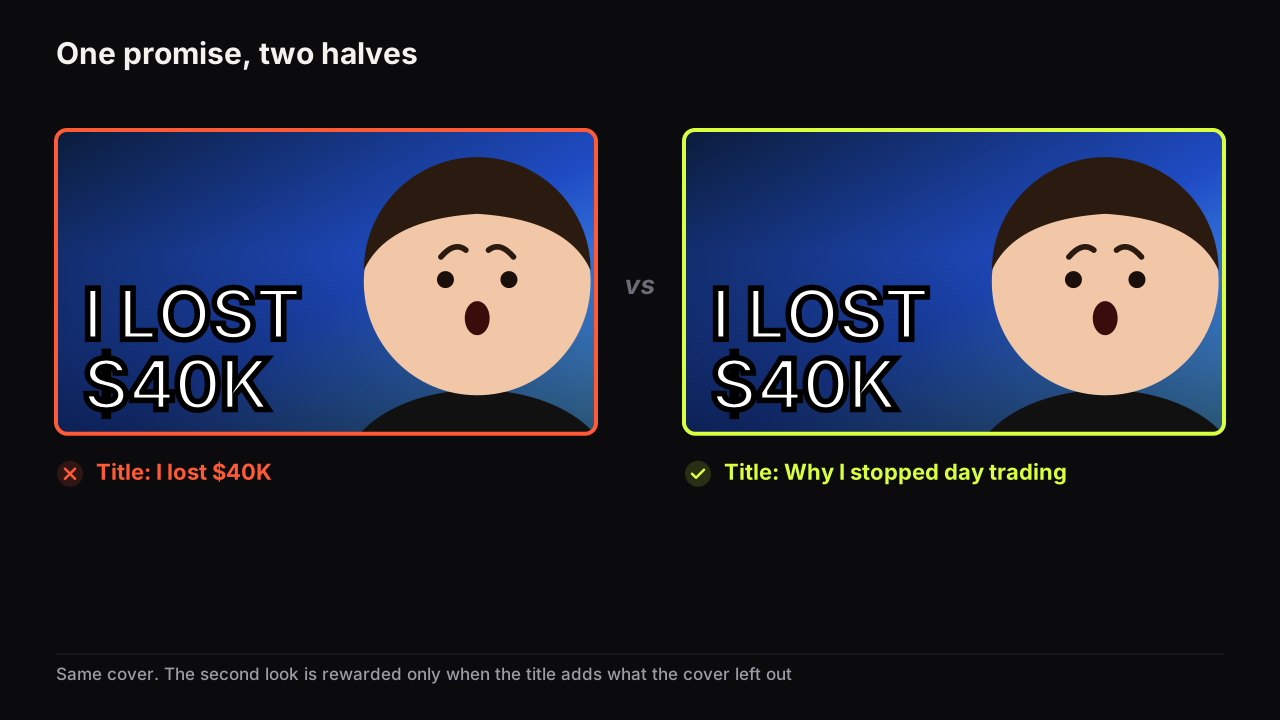
The theory behind the split (the title says what the video is, the cover says why it matters) is in the packaging guide, which treats title and thumbnail as one promise. This page is the form itself.
The template
| Field | What to write | Example |
|---|---|---|
| Promise | One sentence, in the viewer's words, that says what they get | See how two people ate dinner for a week on £15, and whether it was any good |
| Audience | Who this is for and what they already watch | People cooking on a tight budget who watch budget-cooking and money-saving channels |
| Question | The question the cover should leave in the viewer's head | How can fourteen dinners cost £15? |
| Title | The what, front-loaded, in a sentence | I fed two people for a week on £15 |
| Cover words | The why it matters, three big words or fewer | £15. 14 DINNERS |
| Face and emotion | Whose face, and one nameable feeling | Me, doubtful, holding the receipt |
| Object | The thing that gives the face its cause | The till receipt, large |
| Colour | Dominant colour, accent colour, and why | Dark green with a cream accent; the row is red and orange |
| Payoff | The moment that answers the question, and where it sits | The receipt and all fourteen plates in the first minute |
Nine rows, one line each. If a field needs a paragraph, the video is not ready to be packaged, and finding that out now is the cheapest thing the brief will ever do for you.
How to fill in each field
Promise and audience
The promise is the video in the viewer's words, not yours. "A budget cooking challenge" is a description; "see how two people ate for a week on £15, and whether it was any good" is a promise, because it says what the viewer will know at the end that they do not know now. Write it as one sentence with a what and a why it matters, because those two halves become the title and the cover.
The audience line stops the other eight fields from drifting. A cover for people who already watch budget-cooking channels can use a receipt as the object and assume the viewer knows what a weekly shop costs; a cover for a general audience cannot. Name the channels or the kind of video the viewer already clicks, because the cover has to look like something they click, with one thing different.
The question
The question is the field most briefs skip, and it is the one that decides whether the cover gets a second look. Write the question the viewer should form after seeing the cover and the title together. If you cannot write it, the cover is a caption: it states the subject and leaves nothing to find out. If the title answers it, the packaging repeats itself. The three ways a cover opens a question (a missing outcome, a contradiction, an unusual specific) are set out in the guide to opening a question the video has to answer. In the example the question comes from an unusual specific, £15 for fourteen dinners, which the viewer cannot make add up without watching.
Title and cover words
The title carries the what, in a sentence, with the words that matter first.
YouTube's upload help page says video titles are limited to 100 characters, and its thumbnail and title tips add that viewers may only see part of the title, and advise limiting ALL CAPS and emoji.
So the hard limit is 100 characters and the practical limit is shorter, because the end of the title is the part most likely to be cut off; the three title limits people confuse covers the difference. Put the promise in the first few words and treat the rest as optional.
The cover words carry the why it matters, in three big words or fewer. They add what the title does not say: the stakes, the number, the contradiction. In the example the title says what happened (two people, a week, £15) and the cover words make the number impossible (£15 against fourteen dinners). If you find yourself writing the title again in the cover-words field, the reasons thumbnail text should add to the title rather than repeat it and the case for keeping the headline to three big words are the two rules to apply.
Face, object and colour
The face field names a person and one feeling. "Me, doubtful" is fillable; "me, engaging" is not, because nobody can act "engaging" and no model can render it. Match the feeling to the promise: doubt for "was it any good?", shock for a surprise, calm for "this is easy". The expression-to-promise pairings are the reference when the choice is not obvious. If the video has no face, write "none" and give the object the whole job.
The object is the thing that gives the face its reason. A doubtful face on its own is a mood; a doubtful face looking at a receipt is a story. One object, large enough to be recognised at feed size.
The colour line has three parts: the dominant colour, the accent, and why. The "why" is the row the cover will sit in. If budget-cooking covers this month are warm (red, orange, wooden tables), a dark green cover is the odd one out, and being the odd one out is the point. Brightness contrast matters more than the hue itself, for the reasons in the guide to colours that survive a phone screen, so the line should also say which of the two colours is light and which is dark.
Payoff
The payoff is the moment in the video that answers the question the cover opened, and where that moment sits. Write a target, not a hope: "the receipt and all fourteen plates in the first minute". This field does two jobs. It tells the editor how to open the video, and it protects you from packaging a promise the video does not keep. We would fill in the payoff before the title, even though the table puts it last and it feels backwards, because a title written before the payoff is chosen tends to promise the whole video, and a title written after it promises the one moment the video can show in its first minute.
YouTube's thumbnails policy says that thumbnails, titles and descriptions which promise content the video does not contain fall under the spam, deceptive practices and scams policy. Source: YouTube's thumbnails policy.
Short of policy, a late or missing payoff costs you in a test, because YouTube's testing tool decides by watch time share, and the viewers a strong cover brings leave early when the promise is not paid. The brief cannot fix the video, but a payoff field that says "somewhere near the end" is a warning worth reading before the shoot.
A worked example from a different niche
The template above already carries the budget-dinners example, so here is a second one, to show the fields doing the same job on a different kind of promise.
| Field | Entry |
|---|---|
| Promise | Find out whether a £150 laptop can survive a month of video editing, and where it broke |
| Audience | Creators and students who watch budget-tech and "is it worth it" reviews |
| Question | What broke? |
| Title | I edited every video for a month on a £150 laptop |
| Cover words | IT BROKE HERE |
| Face and emotion | Me, wincing, one hand on the laptop |
| Object | The laptop, lid open, one corner of the screen glitching |
| Colour | Pale grey background with a red accent on the glitch; the row is dark and blue |
| Payoff | The moment it froze mid-export, shown in the first thirty seconds |
Read the pair the way a viewer would. The cover says something broke and shows where; the title says what the test was. Neither half repeats the other, and together they form one question. The colour line makes the cover the light one in a dark row. The payoff sits at the top of the video, so a viewer who clicked for the failure sees it before they can leave.
From brief to render prompt
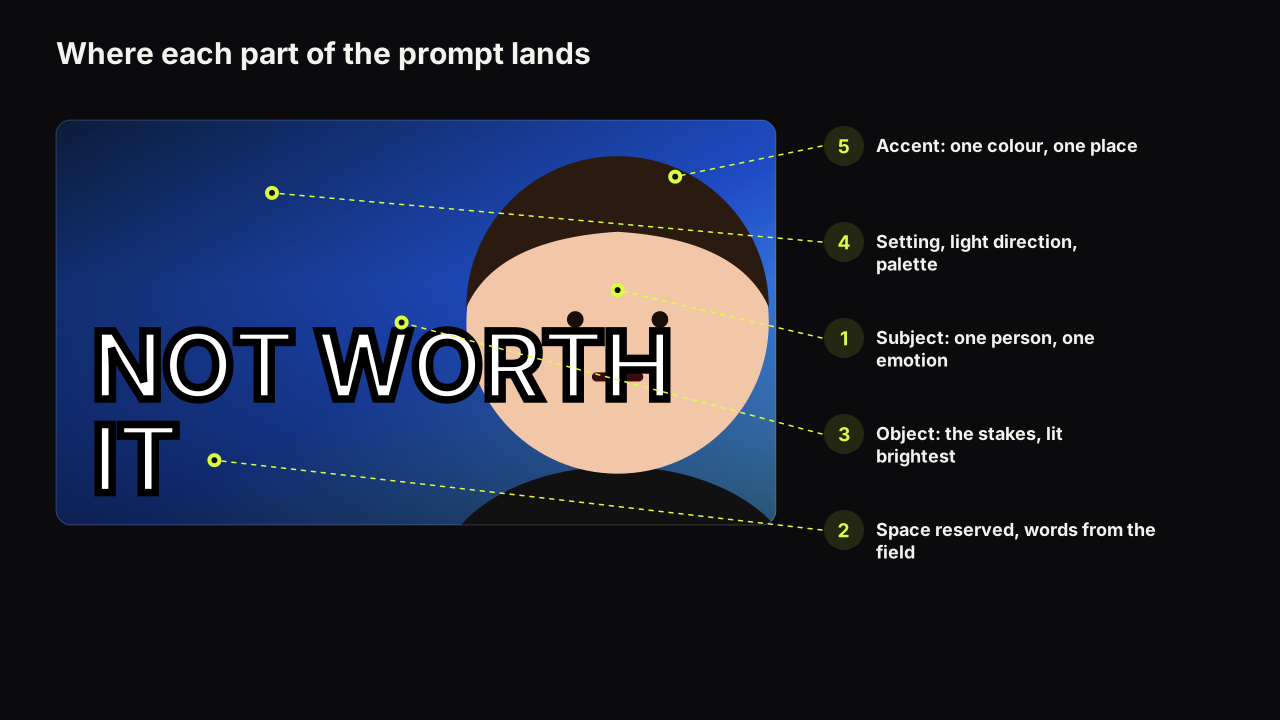
The brief maps onto a generator's inputs almost line for line, which is why it is worth filling in even when a person, not a model, makes the cover.
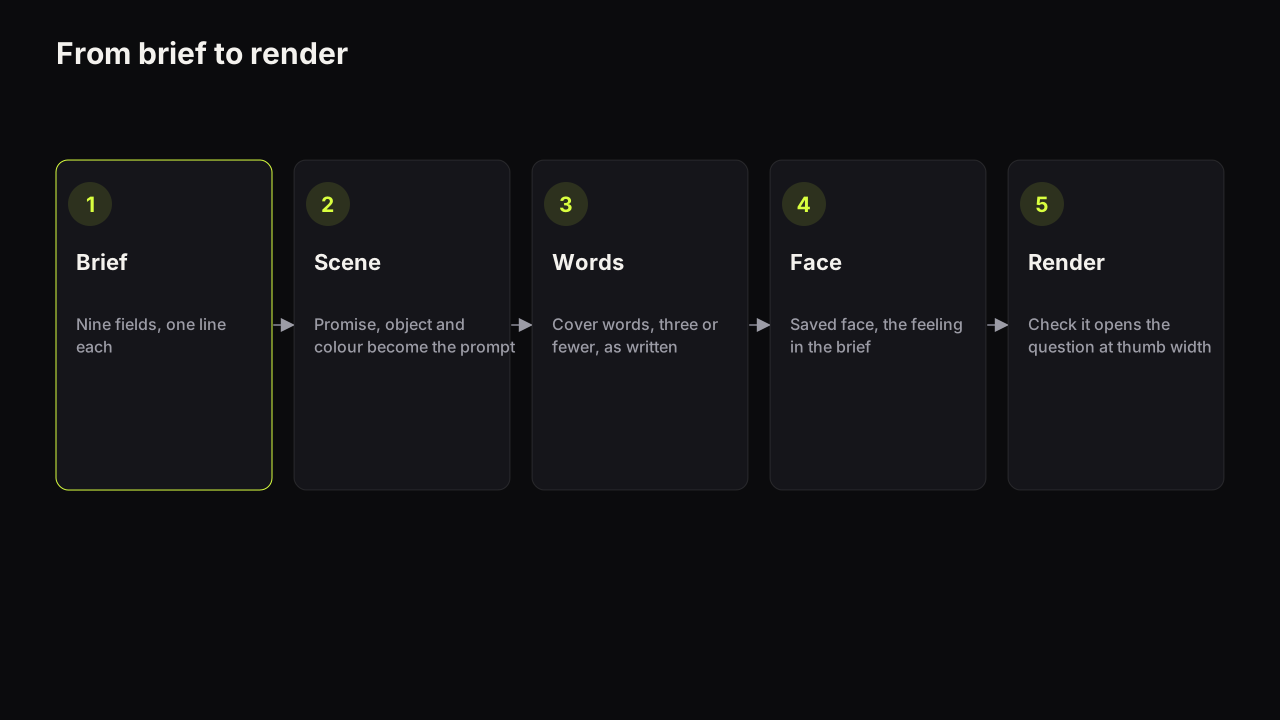
- Scene. The promise, the object and the colour line become the scene description: "a person at a small kitchen table holding a long till receipt, dark green wall, warm lamp light, empty space on the left for words". The six-part prompt structure is the fuller pattern; the brief supplies every part except the light.
- Words. The cover-words field goes into the headline field as written. Three words or fewer, because the model paints them into the image, and long headlines are where spelling goes wrong.
- Face. The face-and-emotion field picks the saved face and the expression.
- Style. The layout the row does not use. If the neighbours are all big faces, a split screen or a number-led layout is the odd one out.
- Render, then check the question. Look at the result at thumb width beside three covers from the row and ask whether it raises the question in the brief. If it raises a different one, the render is wrong, not the brief.
On the bench the mapping is direct: the scene goes in the prompt, the cover words go in the "Words on it" field (rendered into the image, so keep them short), the face is a saved Face Lab cut-out of someone who agreed to be on your thumbnails, and the style is one of eight. The maker returns up to four options from that brief in about a minute, and because all four come from the same nine fields they are four takes on one promise rather than four promises.
Mistakes that show up in filled-in briefs
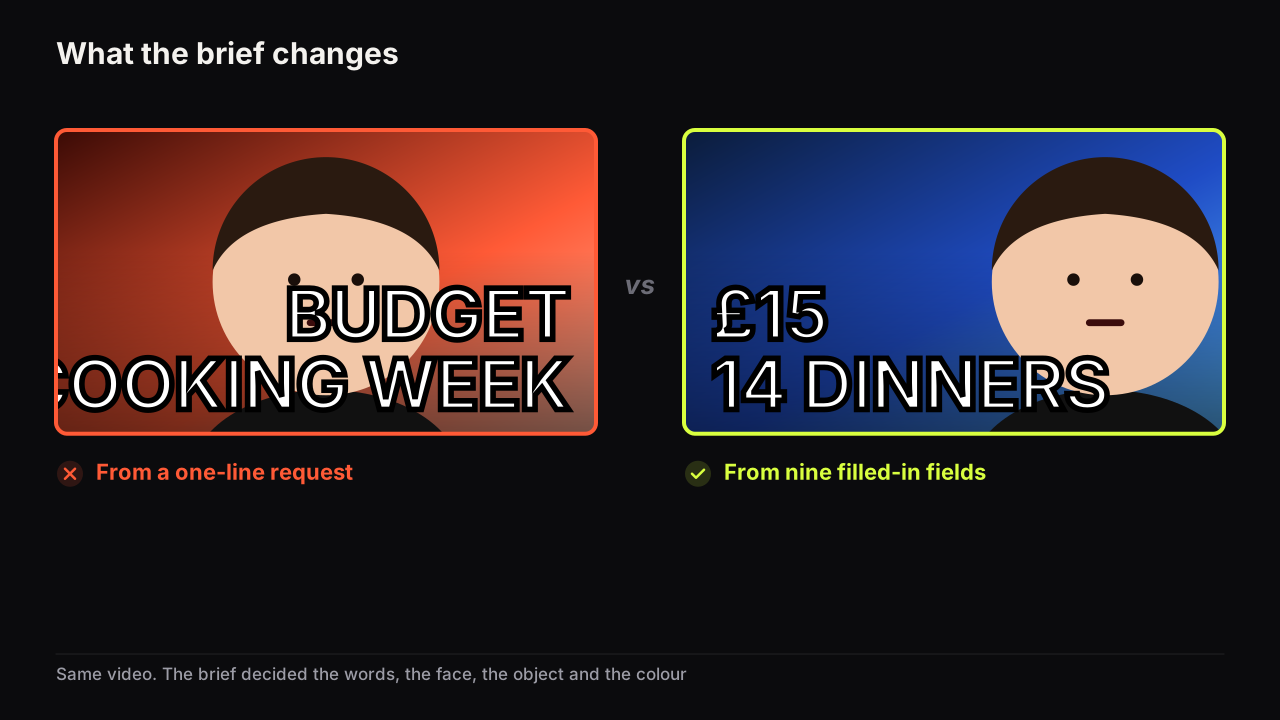
Across the briefs we see, the same four faults recur. The promise is written as a topic ("budget cooking week") rather than an outcome. The question field is left blank, or filled with the title turned into a question. The cover words repeat the title's key phrase. And the payoff says "throughout the video", which means the moment was never chosen. A brief with those four fixed usually produces a usable cover on the first or second render; a brief with them unfixed produces a tidy cover that nobody looks at twice.
We recommend a two-minute read-back before the shoot: read the cover words aloud, then the title, then the question. If the third sentence follows naturally from the first two, the brief is done. If the title answered the question, move the answer into the payoff and give the title something else to say.
Where the brief sits in the workflow
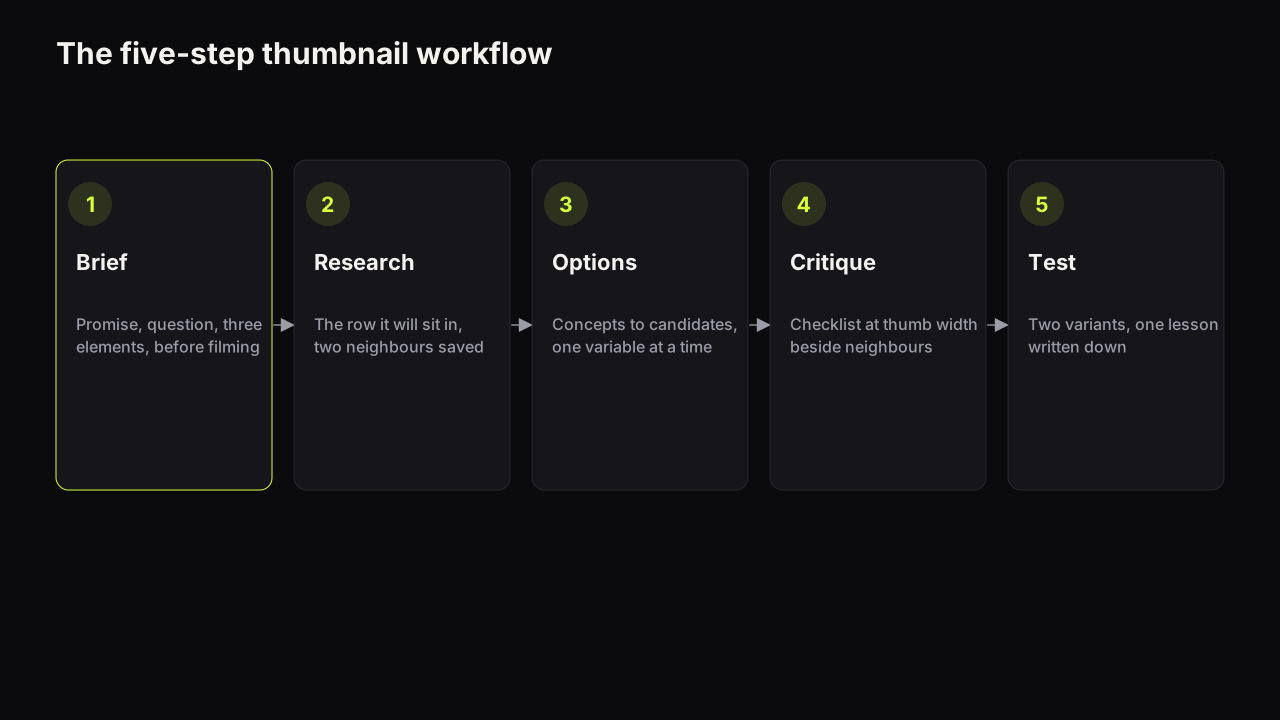
The brief is step one of the five-step thumbnail workflow, and it is the step to protect when time is short, because every later step (research, options, critique, test) is faster with a brief and slower without one. It has two feeders and one output.
The feeders are the swipe file and the row. An entry in a swipe file that produces briefs rather than screenshots already carries a promise type, a layout and an emotion; when the next video matches, three of the nine fields are pre-filled. The row (the covers the video will sit beside this month) fills the colour line and the "why" behind it.
The output is the test. When the brief produces two honest ways to split the same promise (stakes on the cover and method in the title, or the reverse), those two are the variants for a Test & Compare run, and the lesson from the test goes back into the next brief as a note on which lever this audience answers to.
Using the brief with an editor or a co-host
Handing over a brief instead of a request changes what comes back. "Make a thumbnail for the £15 video" returns a cover you have to fix; the nine fields return a candidate. Imagine what the one-line request tends to produce: a wide shot of a kitchen, a smiling face at a fifth of the height, a plate of pasta in the middle distance, BUDGET COOKING WEEK across the top in red on an orange ground. The viewer infers a pleasant cooking vlog with nothing to find out, and the cover sits in the warm row looking like its neighbours. The brief version, a doubtful face at half the height, the receipt large, £15. 14 DINNERS in cream on dark green, is a different design because nine decisions were made before anyone opened a tool. Two additions when someone else does the work: attach two or three covers from the row with the pattern you want borrowed marked (the layout, never the image), and state whose face may be used. Any face rendered or placed has to belong to someone who agreed to appear on the channel's thumbnails: you, a co-host, a guest who said yes.
What to do next
Copy the nine-row table into wherever your next script lives and fill it in before you film. Shoot the cover shot on the day, in the light and with the object the brief names. Turn the brief into a prompt, render, and judge the result against the question field at thumb width. When the brief produces two honest splits, test them, and write the lesson back into the template for next time.